

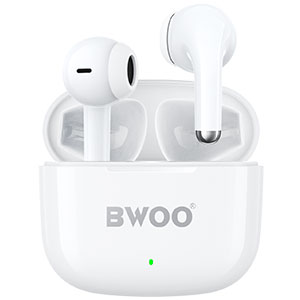


You're enjoying your favorite playlist—fully immersed in the melody and rhythm—when suddenly something feels off. One earbud sounds louder than the other. It's frustrating, confusing, and completely disrupts the listening experience.
Whether you're using wireless earbuds on your phone, laptop, or tablet, uneven volume is a common issue. The good news? Most of the causes are simple, and so are the solutions.
This guide explains why one earbud may be louder than the other, the most frequent causes behind this imbalance, and how to fix the problem effectively.
Why Is One Earbud Louder Than the Other? 5 Common Causes & Fixes
1. Dirty Earbud Tips, Speaker Mesh, or Charging Ports
Dust, earwax, and debris can build up on the speaker grill, inside the charging case, or on the audio jack/connector. This blocks sound output and causes uneven volume.
How to Fix:
Gently clean the earbud's speaker mesh with a soft brush or dry cotton swab.
Use a microfiber cloth to wipe the charging contacts.
Avoid using sharp objects that could damage the drivers.
2. BT Signal Loss or Weak Transmission
Weak wireless signal or interference may cause one earbud to lose audio packets, resulting in decreased volume or audio dropouts.
This often happens when:
The distance from the device is too far
Walls or metal objects block the signal
Too many wireless devices are nearby
How to Fix:
Keep your earbuds within 1–2 meters of your device.
Remove obstacles between the earbuds and your phone.
Turn off other unused wireless devices nearby.
3. BT Pairing Errors (Sync Issues Between Left & Right Earbuds)
If one earbud disconnects and reconnects incorrectly, the left–right pairing may become unsynchronized. This can cause one side to output sound louder, quieter, or with delay.
How to Fix:
Disconnect the earbuds from your device.
Put both earbuds back into the charging case.
Re-pair the earbuds according to the manufacturer's instructions.
This often resolves imbalance caused by pairing glitches.
4. Incorrect Audio Balance Settings
Many smartphones and laptops include audio balance settings that shift sound more toward the left or right channel. If this setting is changed accidentally, one side may sound louder.
How to Fix:
Check your device's audio balance:
iPhone: Settings > Accessibility > Audio/Visual > Balance
Android: Settings > Accessibility > Hearing > Audio Balance
Windows: Settings > System > Sound > Device Properties
macOS: System Settings > Sound > Balance
Ensure the slider is centered.
5. Poor Fit or Loose Earbud Placement
If an earbud doesn't fit securely in your ear, it may leak sound or create weak bass response—making one side seem quieter.
How to Fix:
Try different ear-tip sizes.
Adjust the angle for a tighter seal.
Replace worn silicone tips when necessary.
Other Related Questions (FAQs)
What Is Mono Mode?
Mono mode allows one earbud to work independently while the other stays in the case.
This is ideal for calls or when you want to stay aware of your surroundings.
Some users mistake mono mode for a volume issue, so ensure both earbuds are connected if you want full stereo sound.
How Do I Reset My Earbuds?
Resetting can fix pairing issues, volume imbalance, and sound glitches.
While reset methods vary by brand, most require:
Putting earbuds in the charging case
Holding the touch button for 5–10 seconds
Waiting for a flashing LED indicating reset
Check your specific model's instructions for exact steps.
Why Do My Earbuds Sound Muffled?
Common reasons include:
Earwax blocking the speaker grill
Moisture inside the earbuds
Faulty EQ settings
Poor BT connection
Try cleaning the earbuds, turning off unnecessary audio effects, or resetting your connection.
Conclusion
One earbud sounding louder than the other is a common issue, but thankfully, it's usually easy to fix. From cleaning the earbuds to adjusting audio balance or reconnecting BT, most solutions only take a few minutes.
If the problem persists after trying all the methods above, the earbuds may have hardware damage or aging drivers. In that case, contacting the manufacturer or upgrading to a reliable, well-built audio brand—such as BWOO—is a smart choice.
Related readings:
Headphone for Video Conferencing
Best TWS Earbuds Brands of 2025


