




The modern laptop is a study in minimalism: a thin chassis, a few USB-C ports, and a headphone jack that is increasingly optional. That same minimalism creates one of the most dependable accessory categories in the industry — the USB-C hub. As hybrid work becomes the default and ultra-thin laptops trade ports for portability, multiport hubs have moved from “nice to have” to essential desk equipment for professionals everywhere. For wholesalers and B2B distributors, the USB-C hub category offers stable volume, clear upgrade cycles, and strong bundling opportunities. This guide covers the market drivers, the port-selection logic, the bandwidth and power pitfalls, and a practical framework for sourcing multiport hubs at scale.

Why USB-C Hub Demand Keeps Growing
The Port-Reduction Trend in Laptops
Every generation of ultrabooks and business laptops removes ports in favor of thinness. Where older laptops offered HDMI, Ethernet, USB-A, and an SD slot, many current models offer only USB-C. The result is a structural gap that hubs exist to fill: users need to connect monitors, wired networks, storage, and memory cards without carrying a drawer of dongles.
Hybrid Work Multiplies the Use Cases
Hybrid workers move between home, office, and co-working spaces, each with different peripherals. A hub turns a single USB-C port into a complete desk setup — one dock-style device for the monitor, keyboard, mouse, network, and charger. This flexibility makes the hub a near-universal accessory for the knowledge-worker segment, which is why demand has stayed resilient across economic cycles.
Bundling and Refresh Cycles
For distributors, hubs are attractive because they sell alongside laptops, monitors, and chargers. A professional buying a new ultrabook is a natural hub prospect, and corporate procurement teams often standardize on a single hub SKU across the company. This combination of new-device tie-ins and corporate standardization gives the category predictable, repeatable volume.
Choosing Ports by Use Case
Not all hubs are equal, and the right port mix depends on who is buying. Understanding the major port functions lets distributors stock a lineup that covers the spectrum of customers rather than guessing.
Video Output: HDMI and 4K Support
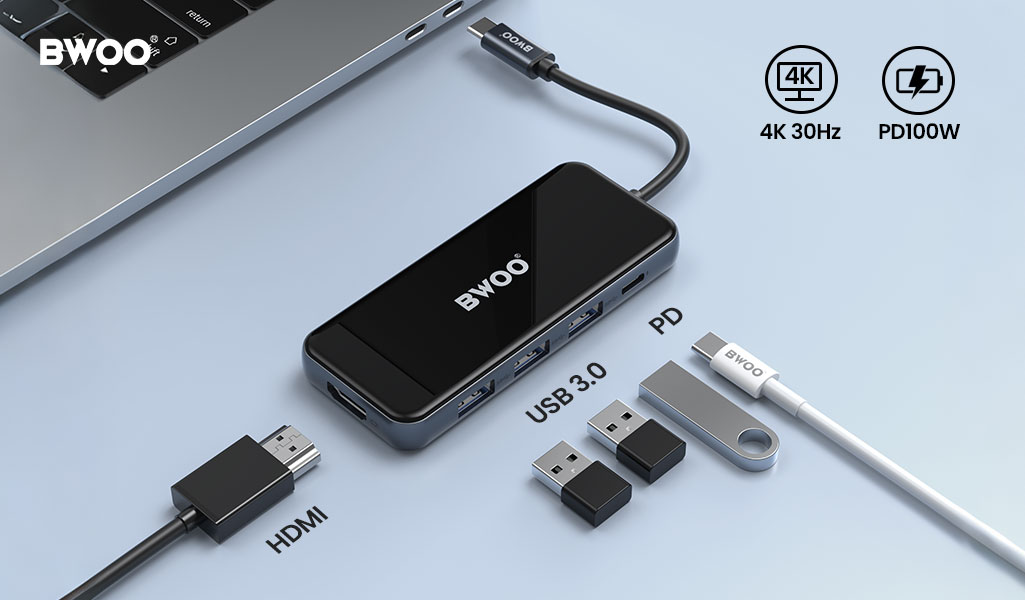
Display output is the most common reason professionals buy a hub. The key specification is resolution and refresh rate: 4K@60Hz requires the hub to support sufficient DisplayPort bandwidth (DP alt mode, usually over a 5Gbps or 10Gbps USB-C link). Many budget hubs only manage 4K@30Hz, which causes visible stutter in desktop use. Buyers should verify the supported resolution and refresh rate per port before ordering — it is the single most common source of mismatch complaints.
Wired Network: The RJ45 Port
A stable wired connection still matters in offices with weak Wi-Fi, for large file transfers, and in environments with congested wireless networks. An RJ45 (Ethernet) port on the hub serves these users. The specification to check is the Ethernet speed — gigabit (1Gbps) is the baseline worth stocking; anything slower disappoints.
Power Delivery: PD Pass-Through
A hub with PD pass-through lets the laptop charge through the hub while peripherals are connected, avoiding a second power brick. The critical number is the PD wattage supported — commonly 60W, 85W, or 90W. A professional with a high-wattage laptop needs a hub that delivers enough power upstream, otherwise the laptop slowly drains while working. Matching PD wattage to the laptop's charging requirement is a core sourcing decision.
Storage and Memory: USB 3.0 and SD/TF Readers
Content creators and photographers need SD/TF card readers and fast USB data ports. USB 3.0 (5Gbps) is the mainstream baseline; some hubs offer 10Gbps for heavy data workflows. Card readers should support the current card standards so users are not bottlenecked when copying footage.
Bandwidth and Power Pitfalls Every Wholesaler Should Know
Bandwidth Is Shared, Not Infinite
A hub connects multiple devices through one USB-C uplink, so the total bandwidth is shared. A 5Gbps hub running 4K video, a USB 3.0 drive, and a card reader simultaneously will split the available bandwidth — heavy simultaneous use can degrade performance. High-spec hubs use faster uplinks (10Gbps) to give more headroom. Distributors should match hub bandwidth to the customer's workload: light office users are fine with 5Gbps; video editors need 10Gbps.
Power Delivery Needs Headroom
PD pass-through wattage must cover the laptop's power draw plus the hub's own consumption. If a hub is rated for 60W but the laptop needs 65W, the battery slowly drains under load. Stock a range of PD ratings — for example 60W, 85W, and 90W — so buyers can match their laptops, and clearly label the pass-through wattage on the product page to prevent mismatches.
Heat Is Normal — but Should Be Managed
Multiport hubs do get warm under load; that is normal physics. What matters is whether the hub manages heat safely — quality hubs use appropriate thermal design and continue to perform stably, while cheap hubs may throttle or become unreliable when hot. Thermal reports and consistent performance under load are reasonable questions to ask a supplier.
A Practical B2B Sourcing Framework for Multiport Hubs
Map Your Customer Segments to a Port Mix
Build a portfolio instead of a single SKU. A practical lineup covers:
Office/light users: 4–5 ports, USB 3.0 data, HDMI 4K@30 or 60Hz, basic PD.
Creative/professional users: 7–8 ports, HDMI 4K@60Hz, SD/TF readers, RJ45, higher PD.
Corporate standardization: a single reliable SKU with consistent specs and certifications for volume procurement.
Verify Quality and Certifications
For regulated markets, confirm the hub carries the required certifications and that certification documents match the model shipped. Also verify the USB and HDMI compliance claims — genuine 4K@60Hz and gigabit Ethernet performance are testable, so request test results rather than accepting marketing claims.
Plan for Supply and Refresh
Hub technology evolves with USB and DisplayPort standards. Work with a supplier that refreshes its lineup as standards move, so your catalog does not become dated mid-cycle. Stable supply, clear lead times, and multi-SKU consolidation are operational advantages worth prioritizing in a supplier.
The BWOO Multiport Hub Lineup
BWOO offers a multiport hub range designed to cover the full spectrum of B2B demand, from light office use to creative professional workflows:
BO-TA14 — an 8-in-1 hub with HDMI and RJ45, suited to complete desk setups.
BO-TA608 — a 7-in-1 hub with 4K output for video and productivity users.
BO-TA13 — a 6-in-1 hub with 5Gbps transfer and an RJ45 port for stable wired networking.
BO-TA601 — a 4-in-1 hub with 90W PD pass-through, ideal for high-wattage laptops.
BO-TA12 — a 5-in-1 hub for compact, everyday connectivity.
BO-BZ OTG adapter series — conversion adapters for mobile and flexible connectivity.
For the complete product range, browse the USB-C hub category and the BO-TA14 product page. To understand the difference between USB-C and legacy USB-A connections, see our comparison article. Distributors building full productivity bundles can also pair hubs with our smart display GaN chargers to cover power and connectivity in one order.
Frequently Asked Questions
Q1: What is the difference between a USB-C hub and a docking station?
A: In general usage, a hub is a portable, plug-and-play port expander that connects a few peripherals through one USB-C port, while a docking station is a larger, fixed desk device with more ports, often higher power delivery, and sometimes video and network capabilities designed for a permanent setup. In practice the line blurs — many modern hubs behave like compact docks — so choose by port count, power delivery, and whether the buyer wants a travel device or a permanent desk unit.
Q2: How much PD pass-through does a laptop actually need?
A: Match the hub's PD wattage to the laptop's charging requirement. Many ultrabooks need 60–65W, while larger professional and gaming laptops may need 85–100W. A good rule: the hub's PD rating should meet or exceed the laptop's power adapter rating, with enough headroom for the hub's own consumption and peripherals. Check the laptop's specifications and pick a hub rated accordingly.
Q3: What specifications do I need for 4K@60Hz output from a hub?
A: You need a hub whose video port and uplink bandwidth support DisplayPort alt mode at sufficient data rate — typically a USB-C hub with DP alt mode over a 5Gbps or faster link, and an HDMI port that explicitly supports 4K@60Hz. Many entry hubs only support 4K@30Hz, so confirm the resolution and refresh rate on the specific port before ordering.
Q4: When is an RJ45 Ethernet port on a hub truly necessary?
A: An RJ45 port matters when Wi-Fi is weak or congested, for large or continuous data transfers where wired speed is needed, for reliable corporate networks, and in environments with many competing wireless devices. For users who mainly browse and stream, Wi-Fi may suffice; for office, creative, and IT-heavy workflows, a gigabit Ethernet port is a real benefit.
Source Multiport USB-C Hubs That Sell
USB-C hubs are a dependable, high-volume accessory category driven by laptop port reduction and hybrid-work demand. Success comes from stocking the right port mix, matching bandwidth and PD to customer workloads, and working with a supplier that verifies performance and refreshes its lineup. BWOO's multiport hub range covers everything from compact 5-in-1 hubs to 8-in-1 desk solutions, with wholesale pricing and OEM options. Send Inquiry with your target port configuration, PD requirements, and order volume to receive samples, spec sheets, and a tailored quotation.


