



If you've bought a new phone, tablet, or laptop in the last two years, you've probably noticed something: the familiar rectangular USB-A port is disappearing. In its place is a smaller, oval-shaped connector called USB-C. This isn't a passing trend or a manufacturer's whim—it's the biggest shift in consumer electronics connectivity in decades, and it affects every charging cable, power adapter, and accessory you'll buy from now on. Here's what the USB-C transition means, why it's happening, and how to make smart buying decisions in this new era of universal connectivity.
USB-C vs USB-A: What's Actually Different?
The differences between USB-C and USB-A go far beyond the shape of the connector:
Feature | USB-A | USB-C |
Connector Shape | Rectangular, one orientation | Oval, reversible (works either way) |
Max Charging Power | Typically 2.5W-18W (QC) | Up to 240W (USB PD 3.1) |
Max Data Speed | Up to 10Gbps (USB 3.2, rare) | Up to 40Gbps (USB4 / Thunderbolt 4) |
Video Output | Not supported natively | Up to 8K@60Hz (DisplayPort Alt Mode) |
Device Support | Legacy peripherals | Universal: phones, laptops, monitors, headphones, game consoles |
In short: USB-C isn't just 'the new shape'—it's a fundamentally more capable standard that replaces USB-A, micro-USB, HDMI, DisplayPort, and proprietary charging connectors with a single universal port.
Why Is USB-A Being Phased Out?
USB-A has been the backbone of computer connectivity since 1996. It's one of the most successful interface standards in history—but after nearly 30 years, its limitations have become impossible to ignore.
The biggest problem: USB-A cannot deliver enough power for modern devices. The USB-A connector was designed when phones charged at 5W and laptops used proprietary barrel connectors. Today's fast-charging phones draw 45W-65W, and laptops need 100W or more. USB-A simply wasn't built for this world.
The second problem is the connector itself. Anyone who's fumbled to plug in a USB-A cable in the dark knows the frustration—it only goes in one way, and somehow it's always the wrong way on the first try. USB-C's reversible design solves this decades-old annoyance.
The third and most decisive factor: Apple's switch to USB-C on the iPhone 15 in 2023 was the tipping point. When the world's most popular smartphone abandoned Lightning in favor of USB-C, the transition from USB-A to USB-C became inevitable for the entire consumer electronics industry.
The EU Common Charger Directive: What Consumers Need to Know
If there's one policy that accelerated the USB-C transition more than any other, it's the European Union's Common Charger Directive. This landmark regulation mandates USB-C as the standard charging port for a wide range of electronic devices sold in the EU:
Smartphones, tablets, and cameras must use USB-C (effective December 2024)
Laptops must adopt USB-C (deadline: April 2026)
The directive covers e-readers, headphones, portable speakers, handheld game consoles, and more
Goal: reduce e-waste by an estimated 11,000 tonnes annually and save consumers €250 million per year on unnecessary charger purchases
The practical result: every major device you buy in the coming years will use USB-C. The days of needing three different cables for your phone, headphones, and Kindle are over. One cable—USB-C—will charge them all.
Five Game-Changing Advantages of USB-C
Beyond the regulatory push, USB-C offers genuine user benefits that make it superior to USB-A in every way:
Reversible Connector: Plug it in blind. It works either way. After 30 years of USB-A orientation guesswork, this alone is worth the upgrade.
Blazing Fast Charging: USB Power Delivery (PD) 3.1 supports up to 240W—enough to charge a gaming laptop. Even mid-range USB-C chargers at 65W-100W can fast-charge your phone, tablet, and ultrabook from a single adapter.
40Gbps Data Transfer: USB4 over USB-C delivers speeds that rival internal SSDs. Transferring a 4K movie takes seconds, not minutes.
Native Video Output: USB-C's DisplayPort Alt Mode means one cable can connect your phone or laptop directly to a 4K or 8K monitor—no dongles, no adapters.
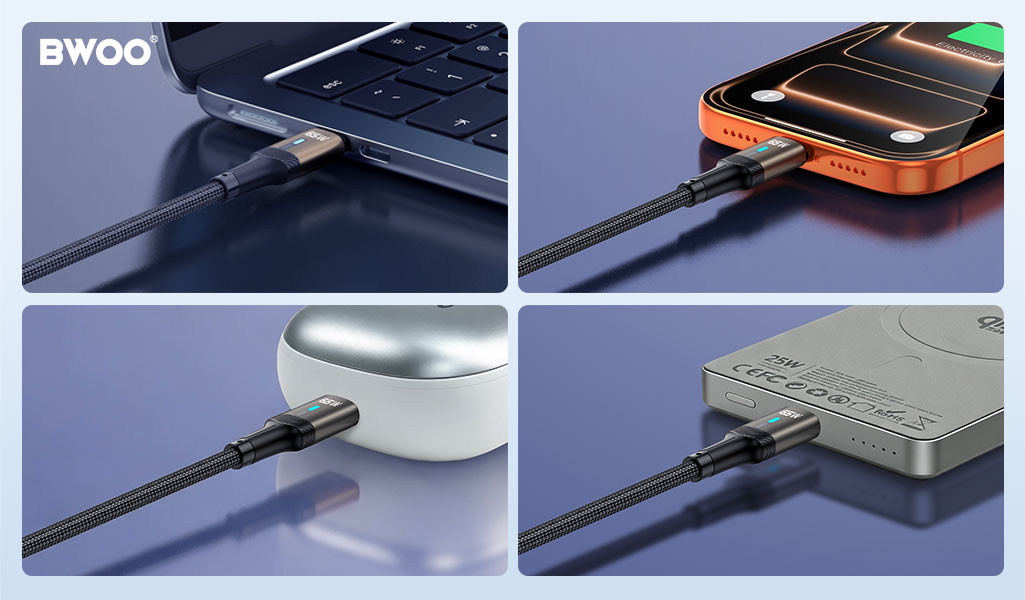
Universal Ecosystem: One USB-C cable connects your phone, laptop, headphones, Nintendo Switch, external SSD, and portable monitor. Traveling with a single cable for everything is no longer science fiction.
Consumer Buying Guide: What to Look for in USB-C Products
Not all USB-C products are created equal. Here's what to check before you buy:
Certification Marks: Look for USB-IF certification and safety marks (UL, CE, CCC). “USB-C” is a connector shape, not a quality guarantee. Certified products have been tested for compliance.
Power Rating (Watts): Match the charger's wattage to your device. A 20W charger works for phones but won't charge a laptop. For multi-device households, a 65W-100W GaN charger is the sweet spot.
Cable Quality: Cheap USB-C cables are a false economy. Look for cables rated for the wattage you need. For charging above 60W, the cable must include an E-Marker chip that communicates its capabilities to the charger—otherwise, charging may be throttled.
E-Marker Chip: This tiny chip inside the cable's USB-C connector tells the charger how much power the cable can safely handle. E-Marker cables (typically rated 100W or 240W) are essential for fast-charging laptops and high-power devices.
BWOO's Complete USB-C Ecosystem: One Brand, Every Device
BWOO has fully embraced the USB-C future with a comprehensive lineup of USB-C accessories that cover every charging and connectivity need:
USB-C Wall Chargers: BO-CDA Series
From the pocket-friendly BO-CDA241 (65W) to the dual-port BO-CDA265 (67W) and the workstation-class BO-CDA267 (140W), BWOO's GaN chargers deliver fast, safe USB-C PD charging for phones, tablets, and laptops alike. All models are IEC 62368-1 certified and support multi-protocol fast charging.
USB-C Cables: BO-X330CC & BO-X401CC
BWOO's USB-C cables are built with E-Marker chips for intelligent power negotiation. The BO-X330CC handles up to 100W with 480Mbps data transfer for everyday charging needs. The BO-X401CC steps up to 240W with 40Gbps data transfer and 8K video output—ideal for creative professionals and power users who need a single cable for everything.
USB-C Headphones: BO-BW52 & BO-BW591
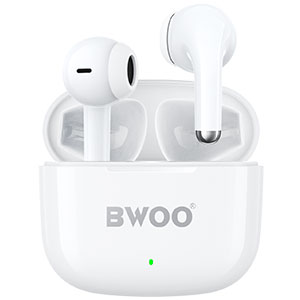
Both the BO-BW52 (in-ear) and BO-BW591 (over-ear) feature USB-C charging, meaning you can use the same cable for your phone and your headphones. No more hunting for a micro-USB cable just for your audio gear.
USB-C Power Banks: BO-P85 & BO-P84
BWOO's Qi2 magnetic power banks feature USB-C ports for both input and output charging. The BO-P85 (10000mAh, 25W) and BO-P84 (5000mAh, 15W) both use USB-C PD—one cable type to charge the power bank and your devices.
Frequently Asked Questions
Can I still use my USB-A accessories?
Yes, for now. USB-A to USB-C adapters are inexpensive and widely available. However, if you're buying new accessories today, choose USB-C to future-proof your purchase. USB-A is not going to disappear overnight, but its role will increasingly be limited to legacy devices.
Is USB-C the same as Thunderbolt?
No, but they share the same connector. Thunderbolt 3, 4, and 5 use the USB-C physical connector but offer higher performance (up to 80Gbps with Thunderbolt 5). For most consumers, standard USB-C (10-40Gbps) is more than sufficient. Thunderbolt is relevant for professionals working with high-resolution video or external GPUs.
Will the EU Common Charger Directive affect products outside Europe?
Yes, indirectly. Because manufacturers don't want to produce separate USB-C and non-USB-C versions of the same product for different markets, the EU regulation effectively sets a global standard. Most brands are transitioning all their product lines to USB-C worldwide, regardless of region.
How do I know if a USB-C cable supports fast charging?
Check the cable's specifications for wattage rating and E-Marker support. A cable rated at 60W or less likely lacks an E-Marker chip and won't support laptop charging. For peace of mind, choose cables like BWOO's X330CC and X401CC that explicitly list their power and data capabilities on the packaging.
The Future Is USB-C. Is Your Setup Ready?
The transition from USB-A to USB-C is happening whether you're ready or not. The good news: it genuinely makes life easier. One reversible connector. One cable for everything. Faster charging, faster data, and fewer tangled wires in your bag.
BWOO's full USB-C lineup—from chargers and cables to headphones and power banks—gives you everything you need to make the switch today. All products are certified, backed by warranty, and available through major online retail channels.
Explore the BWOO USB-C collection at BWOO official website and join the universal charging revolution.


