




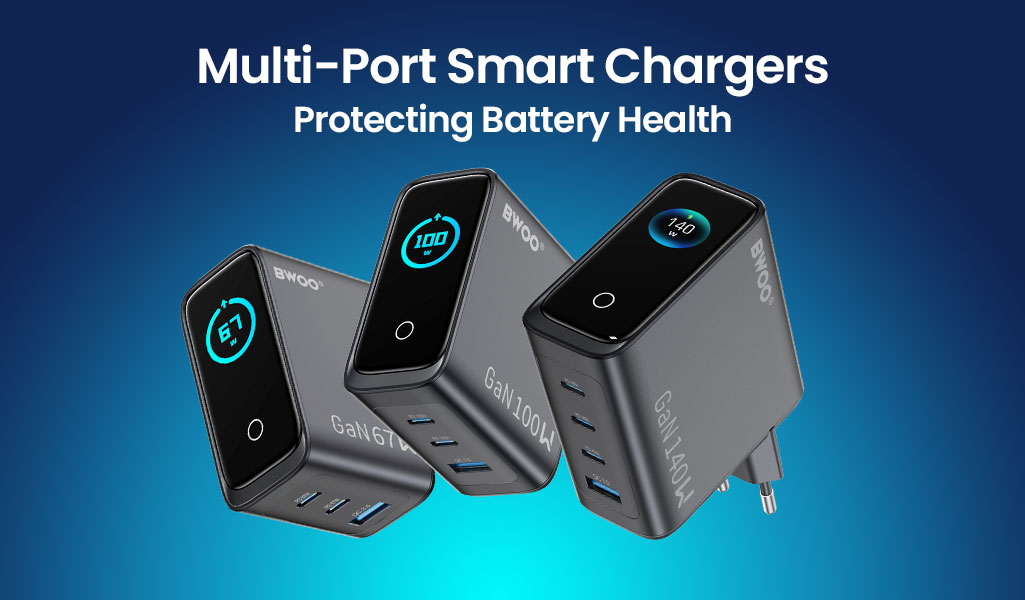
A multi-port charger is no longer just a power supply — it is the daily charging partner for phones, tablets, laptops, earbuds, and watches that share one desk. The difference between a good multi-port charger and a great one in 2026 comes down to smart power distribution: how the charger decides which port gets power, how fast, and how safely, so every connected device charges correctly without cooking its battery. This guide explains what smart power distribution actually is, why it matters for battery health, and what B2B buyers should check when sourcing multi-port GaN chargers.
What Smart Power Distribution Really Means
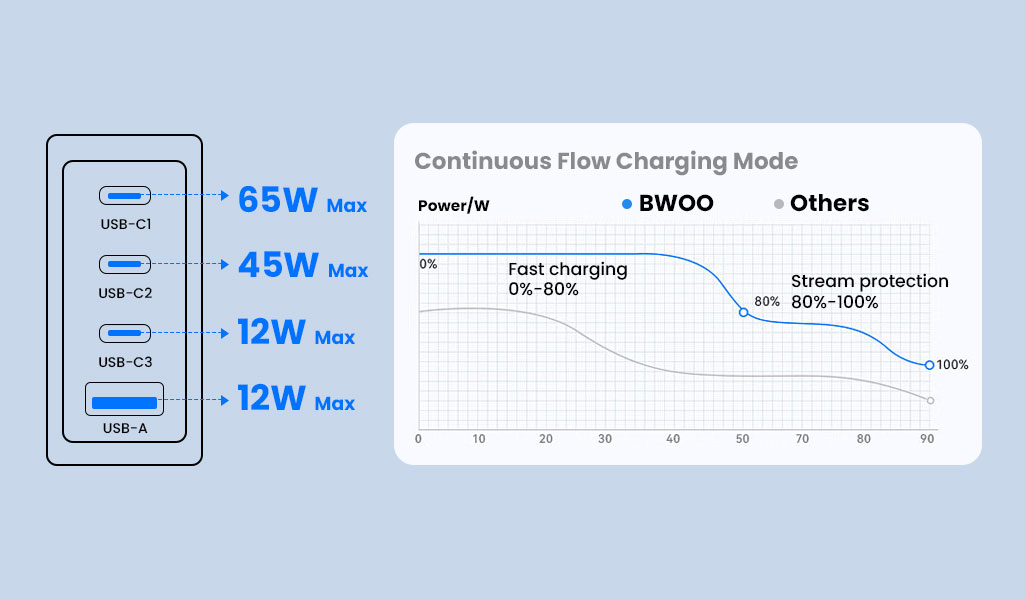
Most multi-port chargers advertise a total wattage, but the real question is how that wattage is divided. Simple chargers use a fixed allocation — split the total and stop. Smart chargers negotiate with each connected device, detect the device type and its requested voltage and current, and rebalance power dynamically as devices connect, reach full charge, or are unplugged.
Fixed vs. Dynamic Allocation
With fixed allocation, plugging in a laptop while a phone is charging can drop the phone into slow charging, or worse, starve the laptop. Dynamic allocation continuously adjusts, so a device that finishes charging frees up power for the others. For a family or office desk with mixed devices, dynamic allocation is the difference between “it works” and “everything charges properly.”
Detecting Device Needs
Smart chargers identify the charging protocol each device supports — PD, QC, or other fast-charging standards — and deliver the negotiated profile. That matters for battery health, because delivering a wrong profile can cause slow charging, overheating, or repeated re-negotiation that stresses the battery.
How Smart Power Distribution Protects Battery Health
Lithium-ion batteries degrade fastest under heat, overvoltage, and deep cycling. A smart charger reduces stress in several concrete ways.
Stable, Correct Voltage and Current
By negotiating the right profile per device, the charger avoids forcing current a device did not request. That prevents overcurrent stress and the heat that accelerates capacity loss over hundreds of cycles.
Trickle and Completion Handling
Quality multi-port chargers implement trickle charging and completion management: as a device approaches full charge, the current tapers down instead of cutting off abruptly. This reduces micro-cycling at the top of the charge, which is one of the quieter killers of battery longevity.
Temperature Awareness
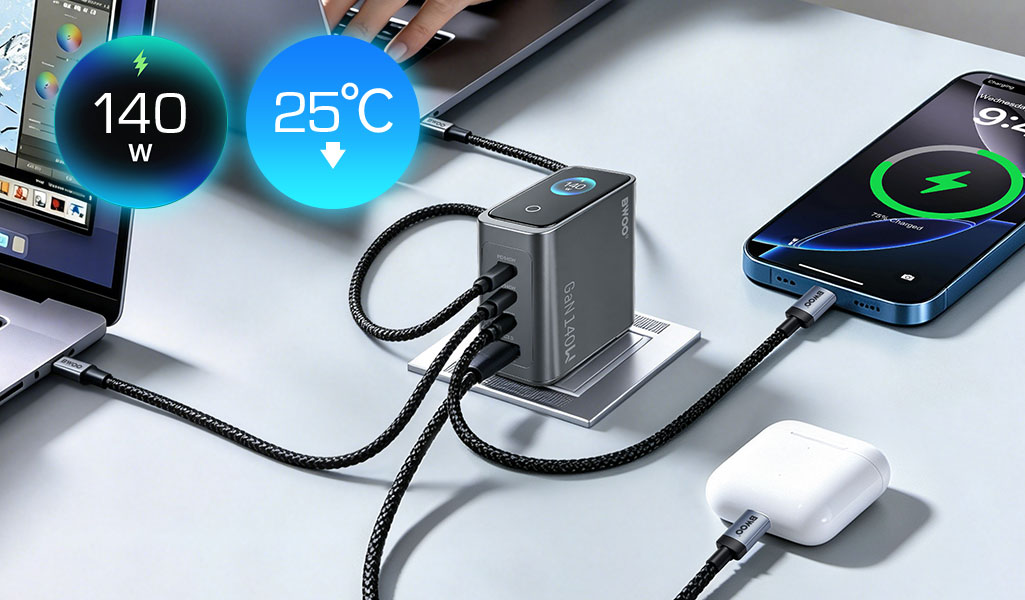
Many smart chargers monitor temperature and reduce output if the charger or the device runs hot. Combined with the device's own protections, this layered approach keeps batteries inside a healthier operating envelope, especially when several devices charge at once on a shared desk.
Battery Health Protection Checklist
Charger feature | What it does | Battery health impact |
Dynamic power allocation | Rebalances wattage across ports | Prevents starvation and overcurrent |
Protocol negotiation | Delivers PD/QC profile per device | Correct voltage and current per device |
Trickle charging | Tapers current near full charge | Reduces top-of-charge micro-cycling |
Temperature monitoring | Reduces output when hot | Less heat stress over many cycles |
Short-circuit & overvoltage protection | Stops faults safely | Prevents catastrophic battery damage |
Choosing Multi-Port Chargers for the Right Desk
The right configuration depends on who is charging what. Match the charger to the use case rather than buying one size for everything.
Family and Home Office
A household desk typically needs a phone, earbuds, and one or two tablets or laptops. A 3-4 port GaN charger around 65W-100W with one high-power USB-C port and several general ports covers the mix with room to grow.
Professional and Enterprise Desks
Power users connect a laptop plus phone and earbuds, sometimes multiple laptops. Look for 100W-140W multi-port units with two or more high-power USB-C ports so two demanding devices can charge at full speed simultaneously, plus the smart display that shows real-time wattage per port.
Shared and Family Spaces
Kitchen counters, living rooms, and family charging stations prioritize convenience over raw power: multiple ports, generous spacing, and stable outputs across many devices at once. Smart power distribution matters most here, because devices connect and disconnect all day.
Port Configuration Comparison
Use case | Recommended ports | Total power | Key feature |
Family / home office | 3-4 ports, 1 high-power USB-C | 65W-100W | Balanced dynamic allocation |
Professional desk | 4+ ports, 2 high-power USB-C | 100W-140W | Simultaneous fast charging |
Shared family station | 4-6 ports, wide spacing | 65W-120W | Stable multi-device output |
Travel desk | 2-3 ports, compact | 30W-65W | Portability + smart distribution |
How Smart Displays Add Value to Multi-Port Charging
Some multi-port chargers add a small screen that shows real-time power output and charging status per port. Beyond novelty, a smart display serves real B2B functions: it lets users see when a device is not charging correctly, makes power allocation transparent, and helps verify genuine fast charging — which reduces support questions and returns. For wholesalers, a visible display is also a strong differentiator on a crowded shelf.
What B2B Buyers Should Verify Before Ordering
Real Port Output, Not Just Total Wattage
Check the maximum output per port and whether multiple high-power devices can charge simultaneously at high speed. “100W total” is meaningless if only one port can use it at a time. Ask for the port matrix document before ordering.
Certification and Safety Compliance
Multi-port GaN chargers must carry the safety and market approvals relevant to your target regions — FCC, CE, UL or equivalent, and the relevant power-supply standards. Confirm certificates match the exact SKU and models you are importing, and keep copies for customs and retail listings.
GaN Efficiency and Form Factor
GaN chargers run cooler and smaller for the same power, which matters for desk tidiness and reliability. Confirm the charger uses GaN technology where high power density is claimed, and check the physical size, plug type, and whether the plug is foldable for travel channels.
How BWOO's Multi-Port Line Delivers Smart Distribution
BWOO's multi-port charger series focuses on smart power distribution and battery-friendly charging, led by the Smart Display models BO-CDA265 (67W, 3 ports) and BO-CDA267 (140W, 4 ports), which show real-time power output per port while protecting connected devices with trickle and temperature-aware management. See the multi-port charger range here and read how a coordinated series keeps your whole range consistent.
Frequently Asked Questions
Does a multi-port charger really extend battery life?
It can, when it delivers the correct negotiated profile per device, tapers current near full charge, and manages temperature. Smart power distribution avoids the overcurrent stress and heat that accelerate capacity loss. A dumb charger that forces the wrong profile can, over time, degrade a battery faster than a smart one.
Can two laptops charge at full speed from one multi-port charger?
Only if the charger has two sufficiently high-power USB-C ports and dynamic allocation that can sustain both at once. Check the port matrix — a 140W charger with two 100W-capable ports can usually run two demanding devices at high speed simultaneously, while a single-high-power-port design cannot.
What is the difference between a smart display charger and a normal multi-port charger?
A smart display charger shows real-time wattage and charging status per port, making power allocation visible and helping users detect charging problems early. It is a transparency and trust feature that also reduces support load and returns — useful for wholesalers selling to consumers who want to verify genuine fast charging.
Which certifications should I request from a multi-port charger supplier?
Request the market-specific safety and wireless approvals for your target regions (FCC, CE, UL or equivalent), plus relevant energy and power-supply compliance. Confirm the certificates match the exact SKU, and request the port matrix document to verify real per-port output before ordering.
Protect Batteries, Protect Your Range
Smart power distribution has moved from a premium feature to an expectation, because buyers now understand that charging behavior directly affects battery longevity. Wholesalers who stock multi-port chargers with dynamic allocation, trickle charging, and temperature management offer a genuinely better product story — and fewer returns. BWOO's GaN charger series, including the Smart Display BO-CDA265 and BO-CDA267, is built around exactly this discipline. Send Inquiry with your target wattage tiers and channels, and the BWOO team will help you spec a battery-friendly multi-port range.


