




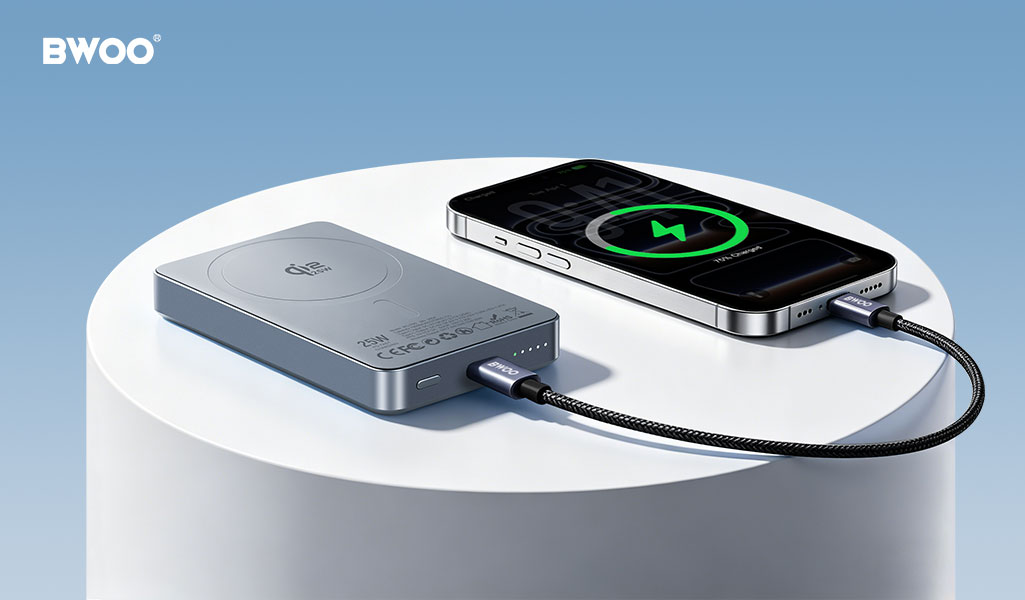
Most people replace their power bank not because it stopped working entirely, but because "it just doesn't last like it used to." The battery inside is still functional — it has simply been aged faster by a handful of everyday charging habits that are surprisingly common. These power bank habits to avoid are easy to spot and cost nothing to fix, and correcting them can extend power bank lifespan by 30-50% with zero additional cost. Here are the six most damaging power bank charging mistakes — and what to do instead.
1. Draining the Power Bank to Zero Before Recharging
Lithium-ion and lithium-polymer cells suffer the most stress at the extreme ends of their charge range. Repeatedly discharging a power bank to 0% accelerates chemical degradation of the anode and cathode materials. Research published in the Journal of The Electrochemical Society shows that cycling between 20% and 80% can double the cycle life compared to 0%-100% cycling.
What to do instead: Recharge when the indicator drops to 20-25%. If your power bank has a percentage display, treat 20% as the new 0%. This single habit change delivers the largest lifespan improvement among all power bank battery life tips.
2. Using Incompatible or Damaged Charging Cables
A power bank's charging input expects a specific voltage and current negotiated over the USB protocol. Low-quality cables with thin-gauge copper conductors and loose USB connectors introduce voltage drop and intermittent connection, which forces the power bank's charge controller to retry negotiation repeatedly. This generates unnecessary heat and extends charge time.
This is one of the most overlooked power bank charging mistakes — a cheap cable silently causes voltage drop the battery management system cannot compensate for. Investing in a certified USB-IF or MFI cable costs less than $10 and eliminates this silent source of degradation.
3. Exposing the Power Bank to Extreme Temperatures
Lithium-ion batteries have a narrow comfort zone: charging between 0°C and 45°C, discharging between -20°C and 60°C. Leaving a power bank in a car on a summer day easily pushes internal temperatures past 60°C, accelerating electrolyte decomposition and permanently reducing capacity.
What to do instead: Store and charge power banks at room temperature. Never charge a power bank that feels hot to the touch. If your power bank lacks a temperature sensor (a feature worth checking on the spec sheet), you must be the temperature sensor.
4. Stacking Power Banks During Charging
When two power banks are stacked or placed on top of each other while charging, the heat from the bottom unit rises directly into the top unit and neither can dissipate heat efficiently. This creates a >10°C temperature differential versus side-by-side placement.
What to do instead: Place power banks at least 5cm apart during charging, on a hard surface (not fabric or carpet). The aluminum housings common on BWOO-branded power banks help dissipate heat, but even the best thermal design is defeated by stacking.
5. Ignoring the Battery Management System Calibration
Power banks use a Battery Management System (BMS) chip that tracks voltage, current, temperature, and estimates remaining capacity via a coulomb counter. Over months of partial-discharge use, the BMS fuel gauge drifts and the percentage display becomes inaccurate — showing 30% when the actual capacity is 12%.
What to do instead: Every two to three months, perform one complete calibration cycle: use the power bank until it shuts off, then charge it uninterrupted to 100%. This recalibrates the BMS fuel gauge without causing the cumulative damage of daily 0% discharges. This single calibration cycle is a cornerstone of magnetic power bank battery health, ensuring the fuel gauge stays accurate over years of partial-discharge use.
6. Using the Wrong Charger for the Power Bank
A power bank capable of 18W input will still charge from a 5W phone charger — but much slower, and with less efficient power conversion at the lower voltage. The charger's output profile must match the power bank's input spec: PD (Power Delivery) for USB-C power banks, QC (Quick Charge) for USB-A power banks.
What to do instead: Use the charger that matches your power bank's fastest input protocol. A 20W PD charger typically delivers the best balance of speed and thermal headroom for most portable power banks under 20,000mAh.
Conclusion
None of these six habits require a new purchase to fix — just a small adjustment to your daily routine. Start with the easiest one: stop draining to 0%. Then add one more change each week. Over the course of a year, these adjustments can extend your power bank's useful lifespan by 50% or more. Effective lithium battery care is about consistency, not perfection — and starting with the easiest habit sets the foundation for the rest.


