



Smartphones, tablets, laptops, earbuds—modern life means more devices than ever, while power outlets remain limited. A multi-port charger solves this problem by allowing multiple devices to charge from a single wall socket.
However, not all multi-port chargers perform as advertised. Common consumer complaints include slow charging, unexpected power cut-offs when multiple devices are connected, or excessive heat during use. A charger labeled "65W" may not actually deliver stable power to more than one device.
In this guide, BWOO breaks down the four key factors you should consider when choosing a high-quality multi-port charger, helping you avoid hidden pitfalls and make a confident purchase.
Key Factor 1: Total Power vs. Smart Power Allocation
This is where most misunderstandings happen.
Total Power (Total Wattage)
The advertised wattage—such as 65W—represents the maximum combined output across all ports, not per port.
How Smart Power Allocation Works
Single-port mode
When only one USB-C port is used, it should deliver full power (e.g., 65W for a laptop).
Multi-port mode
When multiple devices are connected, the charger's internal chipset redistributes power dynamically.
What to Watch Out For
A high-quality charger should feature Smart Power Allocation, ensuring that connecting a low-power device (like earbuds) does not interrupt or drastically slow down charging for high-power devices such as laptops.
Key Factor 2: Port Configuration (USB-C vs. USB-A)
USB-C (Power Delivery)
USB-C with PD support is now the standard for modern devices. It enables:
Faster charging
Higher power output
Laptop and fast smartphone charging
USB-A
USB-A remains useful for older accessories such as legacy cables, small gadgets, or older audio devices.
BWOO Recommendation
For 2026-ready usage, an ideal configuration is:
2 × USB-C
1 × USB-A
This "3-in-1" setup balances future compatibility with current device needs.
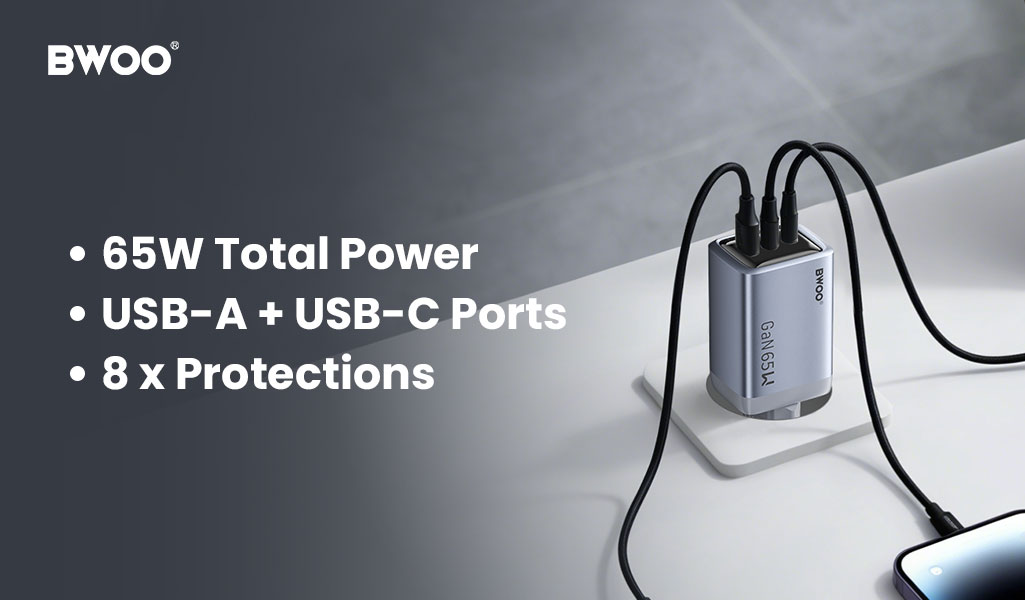
Core Recommendation: BWOO GaNex 65W GaN Charger 3-in-1
Model: BO-CDA242
After understanding power allocation and port combinations, the BWOO GaNex 65W charger stands out as a practical everyday solution.
Designed with a balanced port layout and intelligent power management, it allows users to charge a laptop, smartphone, and accessory simultaneously—without sacrificing speed or stability.
Key Factor 3: Safety and Certifications
Heat Management
Chargers using GaN (Gallium Nitride) technology generate less heat and maintain higher efficiency than traditional silicon chargers.
Built-in Protection Systems
A reliable multi-port charger should include:
Over-current protection
Over-voltage protection
Over-temperature protection
Short-circuit protection
Anti-interference protection
Electrostatic discharge protection
International Certifications
Look for CE, FCC, and RoHS markings. These certifications are essential for global market compliance and are a strong indicator of electrical safety for consumers.
Key Factor 4: Portability and Design
Foldable Plug
Foldable prongs prevent scratches to other devices and improve travel convenience.
Size and Weight
For the same 65W output, GaN chargers typically weigh around 100g, making them significantly lighter and more compact than traditional chargers.
This is especially valuable for users who carry laptops and multiple devices daily.
Conclusion
Choosing a multi-port charger is not about having more ports—it's about true total power, intelligent power distribution, and safe thermal performance.
For users who regularly carry a laptop along with one or two mobile devices, the BWOO BO-CDA242 offers a reliable, compact, and future-ready charging solution—making it an ideal companion for everyday use and travel.


