




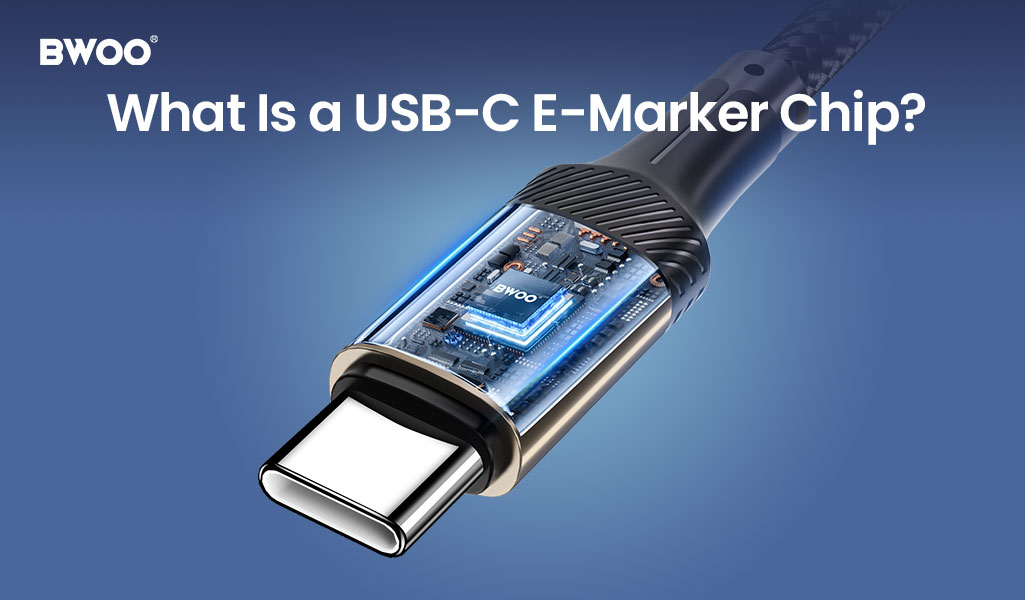
You bought a 100W charger. You plugged in your laptop with a USB-C cable you found in a drawer. And it charges at the speed of a trickle. What went wrong? The answer is probably sitting inside your cable—or rather, what is missing from it: an E-Marker chip.
If you have ever wondered why some USB-C cables charge your devices at blazing speed while others crawl along, or why that cheap gas station cable cannot power your MacBook at all, the explanation comes down to a tiny integrated circuit smaller than a grain of rice. This article explains what a USB-C E-Marker chip is, why it matters for charging speed, how to identify cables that have one, and which BWOO USB cables include this essential technology.
What Is a USB-C E-Marker Chip?
E-Marker stands for "Electronically Marked." It is a small chip embedded in the USB-C connector of a cable that communicates the cable's capabilities to your charger and device. Think of it as the cable's ID card—it tells the charger: "I am rated for 100W power delivery and 10Gbps data transfer. You can send full power through me safely."
Without an E-Marker chip, the charger and device assume the cable is a basic passive cable capable of only 60W (3A at 20V) and USB 2.0 data speeds (480Mbps). This is a safety feature: sending 100W or 240W through a cable not designed for it could cause overheating, melted connectors, or even fire. The E-Marker chip is the gatekeeper that enables high-power and high-speed operation.
The chip itself is typically a single-wire EEPROM communicating over the CC (Configuration Channel) line in the USB-C connector, using the USB PD (Power Delivery) protocol. When you plug in a cable, the charger reads the E-Marker data within milliseconds, determines the cable's maximum current, voltage, and data capability, and adjusts its output accordingly. The whole process is invisible to the user—but the consequences are very visible in your charging speed. For a deeper dive into the technical side, ChargerLAB (chongdiantou.com) has published detailed teardowns of E-Marker chips like the CPS8821F, showing exactly how these chips interface with USB PD controllers.
Why Cheap Cables Charge Slowly (or Not at All)
This is where most consumers get confused. They see a USB-C cable with the same connector shape as their premium cable and assume they are interchangeable. They are not. Here is what happens with different cable types:
Cable Type | E-Marker Chip | Max Power | Max Data Speed | Typical Use |
Basic Charge-Only Cable | No | 60W (3A) | USB 2.0 (480Mbps) | Phone charging, low-power devices |
Standard USB-C Cable | No | 60W (3A) | USB 2.0 (480Mbps) | Most included-in-box cables |
100W E-Marker Cable | Yes (5A rated) | 100W (5A) | USB 3.2 Gen 2 (10Gbps) | Laptop charging, monitor connection |
240W E-Marker Cable | Yes (EPR rated) | 240W (5A EPR) | USB4 (40Gbps) | High-end laptops, docking stations |
The critical insight: physical appearance means nothing. Two identical-looking USB-C cables can have completely different charging and data capabilities based solely on whether they contain an E-Marker chip and what that chip is programmed to report. That 100W charger you bought will only deliver 60W through a cable without a 5A E-Marker—and you will never see a warning message telling you why. The E-Marker chip communicates over the CC pin in the USB-C connector, a dedicated configuration channel completely separate from the power and data lines, ensuring that negotiation happens before any significant current flows.
How to Identify a Cable with an E-Marker Chip
Since you cannot see the E-Marker chip visually (it is embedded inside the molded connector housing), how do you know if your cable has one? Here are four reliable methods:
Check the packaging or product description. Reputable cable manufacturers prominently label E-Marker cables with ratings like "100W PD Charging" or "240W USB-C Cable." If the spec sheet only mentions "fast charging" without a specific wattage, it is probably a basic 60W cable. Look for explicit current ratings (5A) alongside wattage—a cable labeled "100W" without "5A" may be poorly documented.
Look for USB-IF certification logos. Cables certified by the USB Implementers Forum (USB-IF) with the "Certified USB 100W" or "Certified USB 240W" logos have been independently tested to confirm their E-Marker chips report accurate ratings. This is the gold standard for cable reliability. USB-IF maintains a public database of certified products—if a cable claims certification but is not in the database, it is likely counterfeit.
Test with a USB-C power meter. Plug a USB-C power meter between your charger and device. If the cable supports 100W but your meter shows the charger negotiating only 60W, the cable likely lacks a 5A E-Marker. Power meters like the FNIRSI FNB58 or ChargerLAB KM003C cost $25-45 and are invaluable for diagnosing charging issues. They display the negotiated PD contract including voltage, current, and the PDO (Power Data Object) capabilities.
Check the cable thickness. This is not foolproof, but 100W+ cables are physically thicker than basic cables because they use heavier-gauge wire (typically 21-23 AWG for power conductors, versus 26-28 AWG in basic cables) to handle the higher current. If your cable feels thin and flimsy, it is unlikely to support high-power charging, regardless of what the packaging claims. Emarker cables also often have slightly larger connector housings to accommodate the chip.
BWOO USB-C Cables with E-Marker Technology
BWOO's premium USB-C cable lineup includes E-Marker chips as standard, ensuring you get the full charging speed your devices support:
Model | Length | Max Power | E-Marker | Data Speed | Best For |
1.2m | 65W | Yes (3A) | USB 3.2 Gen 1 (5Gbps) | Phone + tablet charging, data sync | |
2.0m | 65W | Yes (3A) | USB 3.2 Gen 1 (5Gbps) | Long-reach charging, desktop setup |
Both cables feature braided nylon jackets for durability, reinforced strain relief at the connector ends (tested to 10,000+ bend cycles at 180 degrees), and the E-Marker chip ensures consistent 65W power delivery with no mystery slowdowns. While these are 65W-rated cables suitable for phones, tablets, and compact laptops, BWOO's product roadmap includes 100W and 240W E-Marker cables with USB4 support launching later in 2026 for power users with high-wattage laptops and docking stations.
Frequently Asked Questions
Q: Do all USB-C cables have an E-Marker chip?
A: No. E-Marker chips are only required for cables rated above 3A (60W) or USB 3.2 Gen 2 (10Gbps) and above. Basic 60W charge-only cables do not need an E-Marker and most do not have one, which is why they are cheaper to manufacture and why your laptop may refuse to charge from them at all.
Q: Can I use a 100W E-Marker cable with a 65W charger?
A: Absolutely. E-Marker cables are fully backward-compatible. A 100W cable works perfectly with a 65W charger—the E-Marker simply reports its maximum capability, and the charger draws only what it needs. Higher-rated cables are always safe to use with lower-power chargers and devices.
Q: Why does my laptop say 'slow charger connected' with a brand new cable?
A: This is a classic E-Marker issue. Your laptop (typically a MacBook or Windows laptop requiring 60W+) is detecting that the cable only supports 60W (no 5A E-Marker) and warning you that it may charge slowly or not keep up under heavy CPU/GPU load. The fix is a cable with a 5A E-Marker rated for 100W or higher, which tells the charger it can safely deliver the full power your laptop requests.
Q: Are E-Marker cables worth the extra cost?
A: If you charge a laptop, connect to a USB-C monitor, or transfer large files regularly—yes, absolutely. The cost difference is $5-10 per cable, and the benefit is reliable full-speed charging and data transfer every time. For phone-only users, a basic 60W cable is sufficient, but having at least one E-Marker cable in your travel kit ensures you are never bottlenecked by your cable when you need maximum performance from your charger.
Upgrade to cables that deliver the full speed your charger and devices support. Learn more about BWOO's BO-X330CC and BO-X401CC USB-C cables with built-in E-Marker technology at BWOO official website. Both cables are USB-IF certified, backed by a 24-month warranty, and ship free on orders over $49. Your 100W charger deserves a cable that can keep up.


