



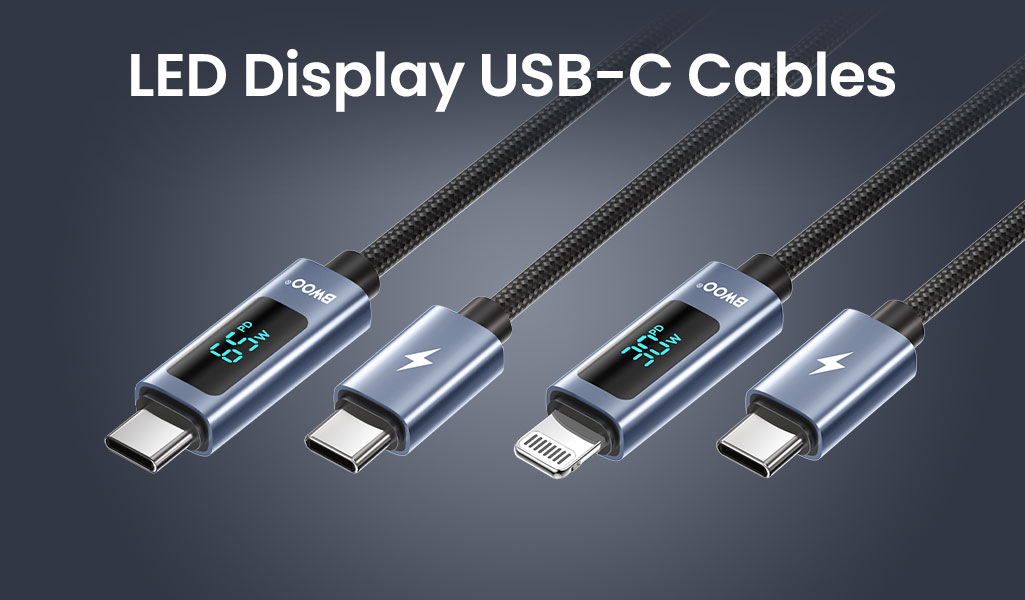
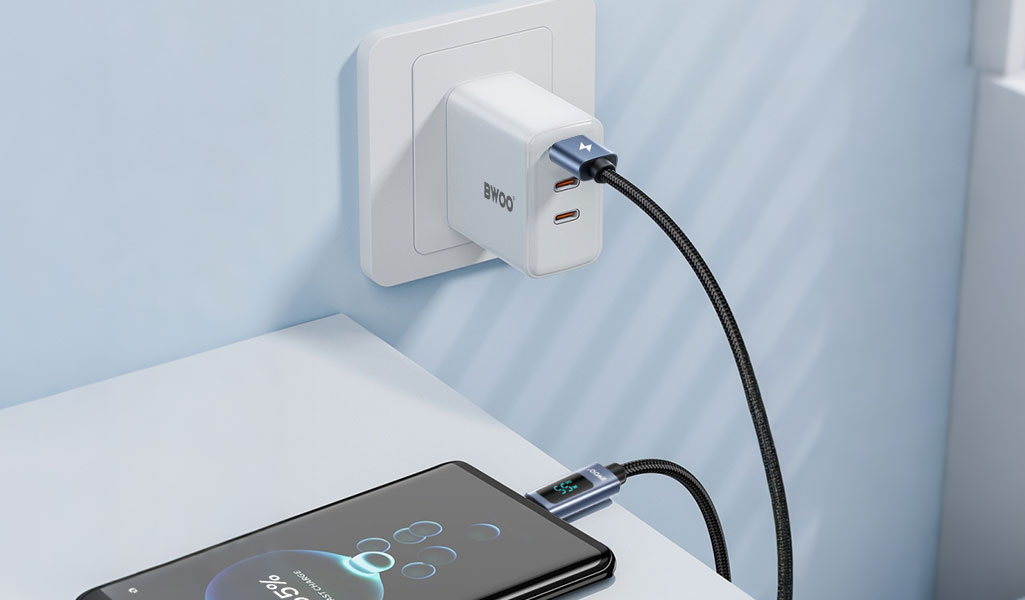
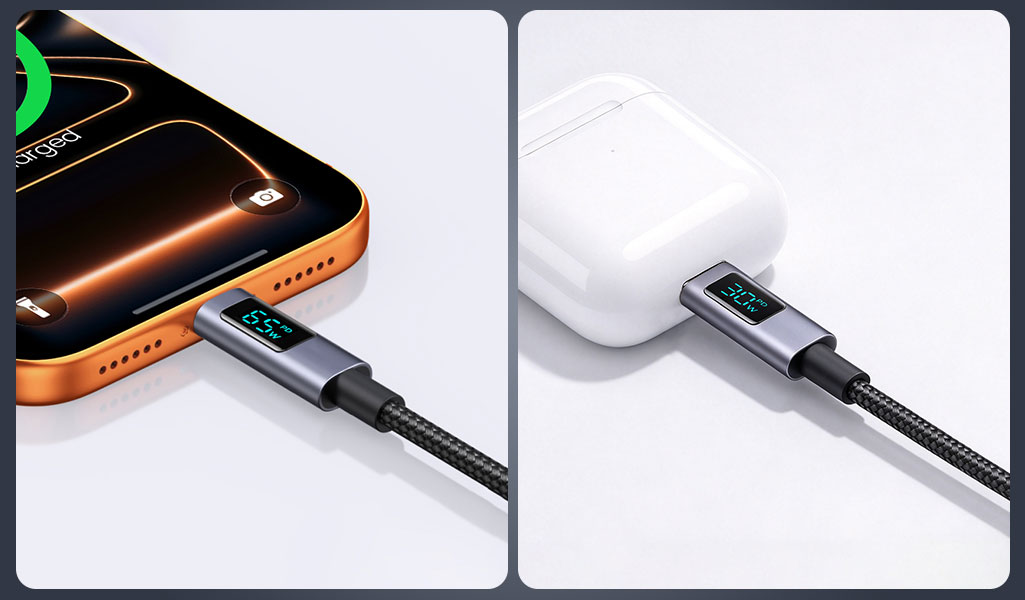
An LED display on a USB-C cable gives the user a visible indication of charging power instead of leaving the charging process entirely out of view. For some buyers, that small display creates a clear product difference: it makes the charging setup easier to observe and can help users notice how power changes when a device, charger or cable configuration changes.
The important point is that a displayed wattage is a snapshot of an operating condition, not a guarantee that the connected device should always draw the same number. The charger, cable, device, battery state, charging protocol and temperature management all influence actual power. For B2B buyers, the function is useful—but the claim needs to be explained accurately.
What the Display Can—and Cannot—Tell You
1. It shows current power behavior, not the cable's entire capability
A product may be rated for a maximum output such as 65W, but the connected device may request less power at a given moment. A phone near full charge may draw less than a laptop charging at a low battery level. If a charger has multiple ports, the available power can also change when other devices are connected. The displayed value should therefore be understood in the context of the current setup.
A display can help users observe a change when they connect a different device or switch ports, but the screen alone cannot prove that a cable caused slow charging, nor can it replace controlled testing. If the value seems low, check the charger rating, device capability, negotiated protocol, cable specification and connection quality before drawing a conclusion.
2. Maximum rated output is not the same as constant output
The maximum wattage on a specification sheet refers to the upper supported capability under defined conditions. It does not mean every device will draw that level continuously. Charging power can change through the session, and devices may reduce power because of battery state, temperature or their own charging controls. This distinction should appear in the product description and sales training so retail customers do not treat the display as a speed guarantee.
3. Displayed value is not a laboratory accuracy claim
Unless the supplier provides a defined measurement method and accuracy tolerance, do not describe an LED cable display as a precision power analyzer. For sourcing, ask what the display measures, what range it supports, how readings are validated, and whether the reported wattage is rounded or sampled at a particular interval. These are reasonable verification questions; do not invent a percentage accuracy claim from appearance alone.
Two BWOO Examples with Different Specifications
The specifications below illustrate why model numbers matter. They are taken from the current BWOO product pages and should be reconfirmed against the production version before the article or product listing goes live.
Model | Interface / published maximum | Other listed details | Buyer note |
BO-X323CC | USB-C to USB-C; up to 65W | 1m cable; 480Mbps data transfer; LED power display; nylon braid and metal shell. | Confirm the display's measurement tolerance, supported protocols and behavior with target devices. |
BO-X323CL | USB-C to Lightning; up to 30W | 1m cable; 480Mbps data transfer; LED display; braided cable and metal shell. | Do not reuse the 65W claim from the C-to-C model. Confirm supported devices and applicable accessory requirements. |
See the official specifications for the BO-X323CC 65W USB-C to USB-C cable and the BO-X323CL 30W USB-C to Lightning cable. The wider BWOO Data Cable collection can help buyers compare related interfaces and form factors.
What Buyers Should Verify Before Bulk Sourcing
Display behavior: Ask for the stated power range, refresh behavior, rounding method and any available accuracy tolerance or validation report.
Charging compatibility: Confirm the cable's interface, maximum supported power, charging protocols, and the devices used during testing.
Data transfer: Check whether the cable supports data and confirm the advertised speed. A 480Mbps data rating is not the same as high-speed USB 3.x data transfer.
Physical quality: Inspect connector fit, strain relief, cable flexibility, braid or jacket quality, display-window finish and behavior after repeated everyday handling.
Packaging claims: Ensure wattage, interface, data speed, cable length and compatibility on the packaging match the exact model and test documents.
These checks complement BWOO's existing fast-charging cable sourcing guide and the technical explainer on USB-C E-Marker chips. Those articles cover cable capability and charging requirements more broadly; this guide focuses on the additional indicator built into the cable.
When the display suggests a lower-than-expected reading, it can also help to consult the existing guide to why a phone may charge slowly. The diagnosis should consider the whole charging setup rather than blaming one component based on a single number.
How to Position an LED Display Cable in a Retail Assortment
An LED display cable makes the most sense when the customer values visible feedback or wants a feature that is easy to demonstrate in a product photo or short video. It may fit tech-accessory retailers, laptop-and-phone accessory shelves, gifting ranges or customers who like to monitor their charging setup. The feature should be positioned as visibility and product differentiation—not proof of faster charging by itself.
For channel-specific selection, connect this product page with the charger category and the existing guide on multi-port GaN chargers for multiple devices. The cable and charger need to be treated as one system when describing a maximum charging scenario.
Conclusion
A live wattage display can make a charging cable easier to understand and more distinctive on a retail shelf. Its value is visibility into the current charging condition, not a promise that the device will always draw maximum power or that the display is a certified measuring instrument. For wholesale buyers, model-specific specifications, compatibility, physical quality and transparent claim wording are the foundations of a reliable LED cable range.
Review the BO-X323CC, BO-X323CL and the wider Data Cable collection, then ask BWOO for the latest specification sheet and samples when comparing products for a bulk order.
FAQ
Does a 65W LED cable always show 65W while charging?
No. The displayed value depends on the connected charger and device, negotiated charging conditions, battery state and temperature. The 65W figure is a maximum supported capability under specified conditions.
Can the display prove that a charger or cable is defective?
Not by itself. It provides an indication of current power behavior. A proper check also considers the adapter, device, protocol, port, cable rating and test setup.
Does an LED display cable support data transfer?
That depends on the exact model. The BWOO BO-X323CC and BO-X323CL product pages list 480Mbps data transfer, but buyers should verify the specifications for each model separately.
Is the displayed wattage a laboratory measurement?
Do not assume that unless the supplier provides a defined test method and accuracy tolerance. Ask for validation information before using precision claims in marketing.
What should a distributor request before ordering?
Request the model's full power and data specifications, compatibility notes, display validation information, relevant documents, packaging claims and samples for testing.


