

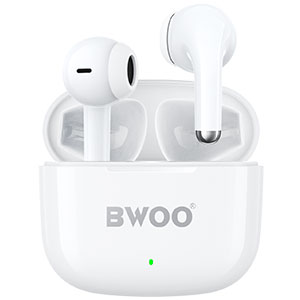


You pop both earbuds into the case overnight, wake up, connect to your phone, and within 45 minutes the left earbud is at 18% while the right sits comfortably at 64%. It is one of the most searched wireless earbud complaints — and, in most cases, it is fixable without a warranty claim. This article explains the three root causes and walks through the actual steps that restore balanced battery performance.
Why One Earbud Drains Faster: The Three Real Reasons
1. Master-Slave Architecture and BT Power Draw
Most wireless earbuds use a master-slave BT architecture. One earbud — usually the right — acts as the primary receiver, handling the BT connection with your phone and then relaying the audio signal to the secondary earbud. The master earbud is constantly transmitting data between the phone and its partner, a task that consumes roughly 15-25% more power than passive audio reception.
If you consistently remove the left earbud first when taking a call, or pair using only the left side, the earbuds may swap master/slave roles, and the left earbud becomes the one running the BT radio at full power. The drain is real, not a defect — but newer earbud chipsets (Qualcomm QCC, BES 2600/2700 series, Actions ATS series) support mirrored dual-channel transmission where both earbuds receive the signal independently. If your earbuds are older than two years, master-slave drain may simply be a hardware limitation.
Fix: Check if your earbud companion app has a "dual-host" or "independent connection" toggle. If so, enable it. If not, swap which earbud you remove from the case first — this forces a master/slave reassignment and can temporarily rebalance drain across the pair.
2. Charging Contact Oxidation and Debris
The charging pins inside the earbud case and the contact pads on the earbud are exposed to skin oil, earwax residue, and ambient humidity every time you dock the buds. Over weeks, a thin layer of oxidation or residue builds up, and one contact degrades faster than the other — usually the earbud you handle more (the one you remove first, touch more, or drop into the case at a slight angle).
The result: the earbud still says "charging" when you dock it, but the actual current delivered is lower, and the battery never reaches a full 100%. The next morning, that earbud starts at 93% instead of 100%, and the gap compounds with every charge cycle.
Fix: Clean the contact points with a dry cotton swab. Apply gentle pressure — enough to remove residue, not enough to scratch the gold plating. For stubborn oxidation, dampen the swab with 70% isopropyl alcohol, let it mostly dry, then clean. Do this once every two weeks as preventive maintenance. Also check the case's charging pins: a flashlight inspection of the pin holes inside the dock will reveal lint or debris that a dry toothpick can remove.
3. Uneven Battery Aging Across the Pair
Lithium-ion cells age at slightly different rates even when manufactured on the same production line. If one earbud has consistently run warmer (the master, which handles BT transmission) or has been discharged to 0% more times than its partner, its internal resistance increases faster. Higher internal resistance means more energy lost as heat and a lower usable capacity per charge cycle. Over 12 to 18 months of daily use, a 5-10% capacity difference between left and right cells is within normal aging — not ideal, but common.
Fix: Calibrate the battery gauge by running both earbuds down to 0% — play music until they shut off — then charge them uninterrupted to 100% in the case. Do this once. It resets the battery management IC's state-of-charge estimate and can reduce the reported drain gap by several percentage points. If the gap persists beyond 15%, reach out to BWOO support for a warranty evaluation. BWOO earbuds carry a standard warranty that covers battery defects exceeding normal aging thresholds.
When It Is Time for a Replacement
If after cleaning contacts, enabling dual-host mode, and running a full calibration cycle the left earbud still dies at twice the rate of the right, the battery cell has likely degraded beyond software correction. This is more common in earbuds that have been: This is the point where TWS battery imbalance has progressed beyond software correction and a fresh pair with independent dual-host transmission is the practical fix.
Exposed to high heat (left in a car during summer)
Regularly drained to 0% before recharging
Used extensively for mono calls (single-earbud use accelerates wear on that side)
At this stage, a new pair is the practical solution. BWOO's current TWS earbud lineup includes models with independent dual-host transmission, IPX5-rated charging contacts that resist oxidation, and battery management ICs designed to minimize inter-cell aging drift — every one of which addresses the root cause of the left-right drain gap.
Conclusion
Asymmetric earbud battery drain almost always traces back to one of three causes: master-slave BT architecture, dirty charging contacts, or natural battery aging. Start with the simplest fix — clean the contacts — then work through the calibration and mode-setting steps. In 80% of cases, you will see the gap narrow within two charge cycles. For the remaining 20%, support is available through your earbud manufacturer or at BWOO official website. The underlying issue — TWS battery imbalance — is rarely a defect and almost always correctable through the steps above before a warranty claim is needed.


