



Understanding wireless charging heat: how hot is normal, what causes dangerous temperatures, and practical steps to keep your charger and phone cool.
1. The Physics of Wireless Charging Heat
All wireless charging generates heat — it is a fundamental consequence of the physics involved, not necessarily a sign of a defective charger. Wireless charging works through electromagnetic induction: the charger coil generates an alternating magnetic field, which induces a current in the receiver coil inside the phone. This energy transfer is inherently less efficient than wired charging because of several physical loss mechanisms. First, there is coil-to-coil coupling loss: not all the magnetic flux generated by the transmitter coil is captured by the receiver coil, especially when alignment is imperfect. The uncaptured flux energy is dissipated as heat. Second, both the transmitter and receiver coils have electrical resistance, and the AC current flowing through them generates resistive heating (I squared R loss). Third, the phone internal charging circuit must rectify the induced AC to DC and regulate it to battery charging voltage, a conversion step that generates additional heat. Fourth, the phone own processor and display generate heat during normal operation — and wireless charging is often done while the phone is in use, compounding the thermal load.
2. How Hot Is Normal vs. How Hot Is Dangerous?
Temperature Range | Status | What Is Happening | Action Required |
Below 35°C (95°F) | Normal / Optimal | Efficient charging, no thermal throttling | None — ideal operating range |
35-45°C (95-113°F) | Normal / Acceptable | Expected for 15W+ wireless fast charging; slight warmth on charger surface | Ensure ventilation, remove phone case if thick |
45-50°C (113-122°F) | Elevated / Monitor | Charger or phone may begin throttling speed; long-term exposure accelerates battery aging | Stop charging, check alignment, remove case, move to cooler area |
Above 50°C (122°F) | Dangerous / Protect Triggered | Phone charging IC may cut off charging entirely; risk of battery degradation and internal component damage | Immediately stop charging, move device to cool environment, inspect charger for damage |
3. The Battery Aging Cost of Heat
Heat is the single most damaging factor for lithium-ion battery longevity. The Arrhenius equation — a fundamental principle of chemical reaction kinetics — states that the rate of chemical degradation approximately doubles for every 10°C increase in temperature. In practical terms for smartphone batteries, operating continuously at 40°C instead of 25°C can roughly halve the battery useful lifespan. This means a phone battery that might last 3-4 years at 25°C ambient may degrade to 80% health in 1.5-2 years if consistently charged via a hot-running wireless charger. The protective mechanisms built into modern phones (thermal throttling, charging cut-off) exist precisely because battery manufacturers have quantified this degradation curve and set safety thresholds above which permanent capacity loss accelerates. For consumers, this means a wireless charger that consistently runs hot is not just uncomfortable to touch — it is silently shortening the lifespan of your phone most expensive component.
4. Five Common Causes of Excessive Wireless Charging Heat
Phone Case Too Thick or Contains Metal
Wireless charging works through cases up to about 3-5mm, but thick cases — especially rugged/armor cases, wallet cases with cards, and cases with metal plates for magnetic car mounts — increase the gap between charger and receiver coils. Increased gap reduces magnetic coupling efficiency, meaning more energy is lost as heat. Metal components in the case can also inductively heat up from the magnetic field, creating a hot surface pressed directly against the phone.
Coil Misalignment
When the charger transmitter coil and phone receiver coil are not perfectly centered, coupling efficiency drops dramatically. With traditional (non-magnetic) wireless chargers, even a 5mm offset can reduce efficiency by 20-30%, and all that lost energy becomes heat. This is why phones sometimes get hot on flat wireless charging pads where alignment is guesswork — the phone is working harder to pull power through a misaligned magnetic field. Qi2.2 magnetic alignment solves this by guaranteeing perfect coil centering every time.
Non-Compatible or Underpowered Charger
Using a wireless charger with a power adapter that does not meet the charger input requirements causes inefficient operation. A Qi 15W charger powered by a 5W USB adapter cannot deliver full power but may still draw current inefficiently, with the charger internal regulation circuit dissipating the excess as heat. Always match wireless chargers with power adapters that meet or exceed their rated input.
High Ambient Temperature
Charging a phone in direct sunlight, in a hot car, or in an unventilated room on a summer day adds environmental heat on top of charging heat. The phone thermal management system has less headroom to dissipate heat, and both the charger and phone will reach higher equilibrium temperatures.
Low-Quality Charger Components
Budget wireless chargers often use thinner-gauge coils with higher electrical resistance, lower-quality ferrite shielding that does not adequately contain the magnetic field, and under-spec capacitors and MOSFETs that run hot even under normal load. The external appearance may look similar to a quality charger, but the internal components determine thermal performance. Products reviewed by BasinLens Research note that cheap accessories described as feeling "cheap and flimsy" often have correspondingly poor internal electronics that fail thermal safety expectations.
5. How to Prevent Wireless Charger Overheating
Use a Qi2.2 magnetic charger with automatic alignment. Magnetic snap-on alignment guarantees the coils are centered every time, eliminating the single largest source of wireless charging heat — coil misalignment. The Qi2.2 standard mandates magnetic alignment for 15W+ charging.
Remove thick cases before wireless charging, especially those over 3mm thick or containing metal components. Slim cases designed for MagSafe/Qi2 compatibility typically have thinner backs at the magnetic ring area.
Place the charger on a hard, flat, ventilated surface — not on a bed, sofa cushion, or under a pillow where airflow is blocked. Wireless chargers rely on passive convection cooling to dissipate heat from the coil and PCB.
Match the charger with an appropriately rated power adapter. A Qi2.2 25W magnetic charger should be paired with a 30W+ USB-C PD power adapter. Using an under-rated adapter forces the charger to operate inefficiently.
Avoid charging in direct sunlight or high-ambient environments. If charging in a car, use an air-conditioned vent mount rather than a dashboard mount that catches direct sun.
Choose a charger with active thermal management features: built-in temperature sensors, intelligent power reduction when a temperature threshold is reached, and foreign object detection that prevents heating of non-charging metal objects.
6. The BWOO P85: Cool Charging by Design
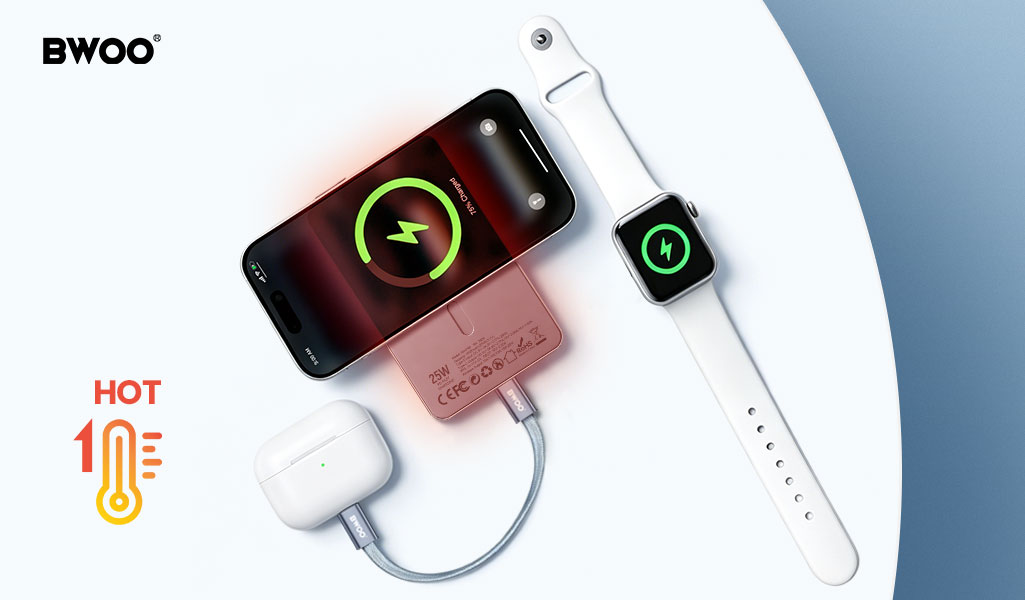
For consumers who want magnetic wireless charging without the heat anxiety, the BWOO BO-P85 Qi2.2 25W 10,000mAh magnetic power bank is designed with thermal management as a core feature. The P85 Qi2.2 magnetic alignment mechanism eliminates coil misalignment — the cause of roughly 20-30% efficiency loss in non-magnetic wireless chargers — ensuring the electromagnetic energy is transferred as power, not wasted as heat. Inside, the P85 integrates a smart temperature control chip with multiple thermal sensors: it continuously monitors charger and phone temperature and automatically reduces charging power to a safe level if the temperature approaches the 45°C threshold, rather than waiting for the phone own aggressive thermal protection to cut off charging entirely. This graduated "thermal throttle" approach means you get the fastest charge your thermal conditions allow, instead of a binary "full speed or stopped" that leaves your phone at 40% when you need it. Combined with foreign object detection that prevents accidental heating of keys or coins on the charging surface, the P85 offers Qi2.2 speed with the thermal safety that keeps your phone battery healthy for the long term. Explore the BWOO P85 and full charging solutions catalog at BWOO official website.


