



A keyboard has dust between the keys. A car console has crumbs around the cup holder. A desktop PC case has loose particles around its vents. These are all cleaning problems, but they are not the same problem. An air blower moves dust away; a vacuum collects loose debris. A 2-in-1 tool combines both approaches, but the user still needs to choose the right mode for the task.
This article builds on BWOO's earlier guide, What Can You Clean With a Portable Electric Air Duster?, which covers common cleaning targets. Here, the focus is different: when to blow, when to vacuum, and what a buyer should verify before sourcing a combined product.
Blowing vs. Suction: What Is the Practical Difference?
An air duster uses directed airflow to loosen and move dust or small particles out of narrow gaps. It is particularly useful where a cloth cannot reach, such as keyboard gaps, vent openings and seams around equipment. However, blowing does not make debris disappear. It can move contamination onto another surface or deeper into a device if the nozzle is aimed poorly.
A vacuum uses suction to draw dust, crumbs, hair and other loose debris into a collection chamber. It is useful when the material can be picked up and contained. The collection bin and filter then become important: a vacuum that is difficult to empty or maintain may be less convenient over time.
Cleaning task | Better starting mode | Why | Important caution |
Dust between keyboard keys | Blow | Airflow can reach narrow gaps | Power down or disconnect first; use controlled bursts |
Crumbs on a desk or car console | Suction | Loose particles can be collected | Use the appropriate nozzle and avoid wet debris |
Dust around external vents | Blow, then inspect | Airflow can loosen particles | Follow the device maker’s maintenance guidance |
Hair on fabric or seat seams | Suction with brush attachment | Brush and suction can lift loose hair | Check attachment and surface suitability |
Dust on a tabletop | Either, depending on the area | Blow moves it; suction collects it | Avoid scattering dust into nearby equipment |
When Should You Use the Blower?
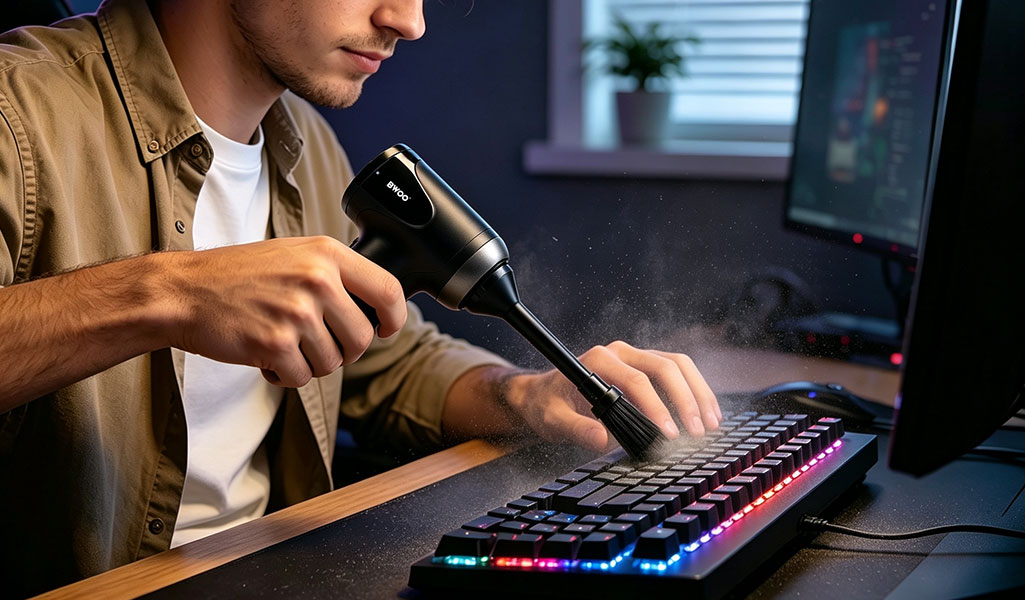
Choose airflow when the target is loose dust trapped in a gap or around an opening. Typical examples include keyboard edges, external computer vents, air-conditioning grilles, camera-body crevices and small appliance seams. A narrow nozzle can focus the airflow, while a wider attachment may be more appropriate for a larger surface.
Good technique matters. Shut down and unplug equipment when appropriate, keep the nozzle at a sensible distance, use short controlled bursts and direct particles away from sensitive openings. For internal computer maintenance, follow the computer manufacturer's instructions; do not assume a handheld cleaner is a replacement for proper service. Avoid using a general-purpose air duster on exposed camera sensors or other delicate components unless the equipment maker specifically allows it.
Blowing is most effective when the goal is to dislodge or move dry, loose particles—not to collect them. If dust is simply pushed from a keyboard onto a desk, a second cleaning step may still be necessary.
When Should You Use Suction?
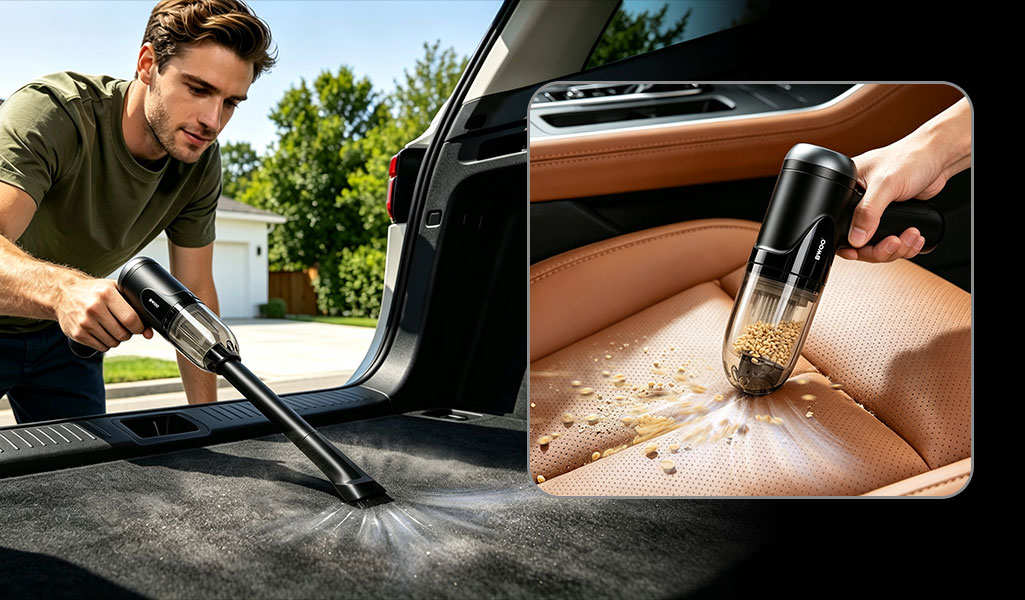
Choose suction when you can see loose material that should be collected rather than scattered. Examples include crumbs in a car console, dust on a desk, hair around furniture seams and debris that has been loosened from a surface. A brush attachment can help lift particles, while a narrow suction nozzle can reach small spaces.
For electronics, do not place a nozzle directly against delicate components or use excessive force. Check the vacuum's filter and dustbin design, and empty the chamber according to the manufacturer's instructions. If the product uses a washable filter, allow it to dry completely before reinstalling it. A filter being washable does not, by itself, establish a specific HEPA class or filtration efficiency.
Never use a compact dry-cleaning air duster/vacuum as a wet vacuum unless the product documentation explicitly says it is designed for liquids. Keep liquids, hot ash and hazardous materials out of the cleaning path unless the product is specifically rated for them.
What Does a 2-in-1 Design Add?
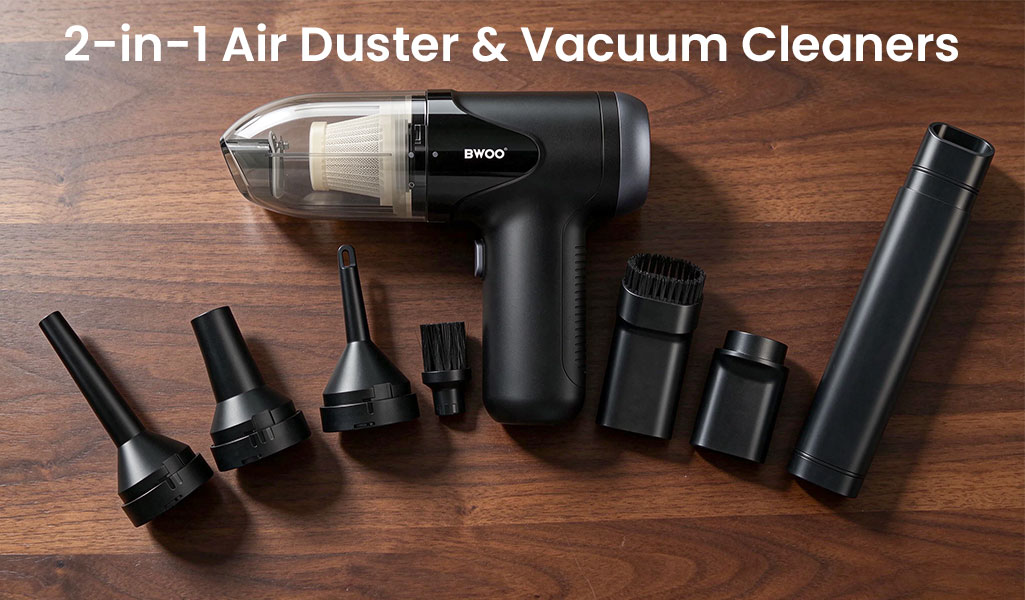
A combined tool can reduce the need to keep a separate blower and handheld vacuum. It is particularly practical for users who move between a computer desk, car interior and home surfaces. The key is not the “2-in-1” label alone; it is whether the attachments, mode switching, filter and collection chamber make both functions usable.
The BWOO BO-XD03 2-in-1 portable air duster and vacuum is listed with a 50,000RPM motor, up to 100G blowing force, approximately 5KPa suction, a washable HEPA filter and multiple cleaning attachments. Its page describes applications including keyboards, appliances, furniture gaps and car interiors. The filter rating is not specified as H13 on the public product page, so buyers should not add a higher filtration-class claim without a formal test report.
For users who mainly need airflow, the BWOO BO-XD02 electric air duster is listed with a 130,000RPM motor, three airflow levels and five nozzles. This gives retailers a way to distinguish a blower-focused model from a combined blower-and-vacuum model.
A Simple Buying Checklist for B2B Buyers
Blowing performance: Ask how airflow or blowing force is measured, and request repeatable test conditions. RPM alone does not describe the cleaning result.
Suction performance: Check the stated suction pressure or airflow, the nozzle size and the type of debris used in testing.
Filter and dustbin: Confirm filter type, whether it is washable or replaceable, how it is removed and how the dustbin is emptied.
Attachments: Match nozzle, brush and extension accessories to the use cases shown in the retail listing.
Battery and runtime: Ask for runtime under each mode and speed level. Blowing and vacuuming may have different power consumption.
Noise and heat: Test the tool in an indoor environment, especially if it is positioned for home and office use.
Safety and instructions: Confirm the recommended surfaces, charging requirements, maintenance instructions and product warnings.
Before placing a bulk order, request a complete sample kit and test both modes with the same realistic debris. For a product marketed as HEPA-filtered, ask for the exact filter specification and supporting evidence. This makes the product easier to list accurately and reduces the risk of unsupported environmental or performance claims.
Conclusion
Blow when you need to loosen or move dry dust from narrow spaces. Vacuum when you need to collect loose debris, crumbs or hair. A 2-in-1 tool is valuable when it makes both jobs convenient, but the real buying decision should be based on performance in each mode, filter maintenance, attachments and safe-use guidance—not on a high RPM number alone.
FAQ
Is an air duster better than a vacuum for cleaning electronics?
Not in every situation. Airflow can remove loose dust from gaps, while suction is better for collecting particles. The surface, device instructions and risk of moving debris deeper into the equipment matter.
When should I use the vacuum mode on a 2-in-1 cleaner?
Use suction for loose crumbs, dust, hair and particles that should be collected into a dustbin rather than blown onto another surface.
Can a 2-in-1 air duster vacuum clean a laptop internally?
It may help with external vents and approved maintenance tasks, but users should follow the laptop manufacturer's instructions. It should not be treated as a substitute for professional internal cleaning.
Does a washable HEPA filter mean the product is H13?
No. HEPA class and filtration efficiency must be confirmed by the exact filter specification or a test report. “Washable HEPA filter” alone does not prove H13 performance.
What matters more: RPM or suction power?
Neither figure should be considered alone. Buyers should evaluate actual airflow, suction, nozzle design, runtime, noise and cleaning results under documented test conditions.


