



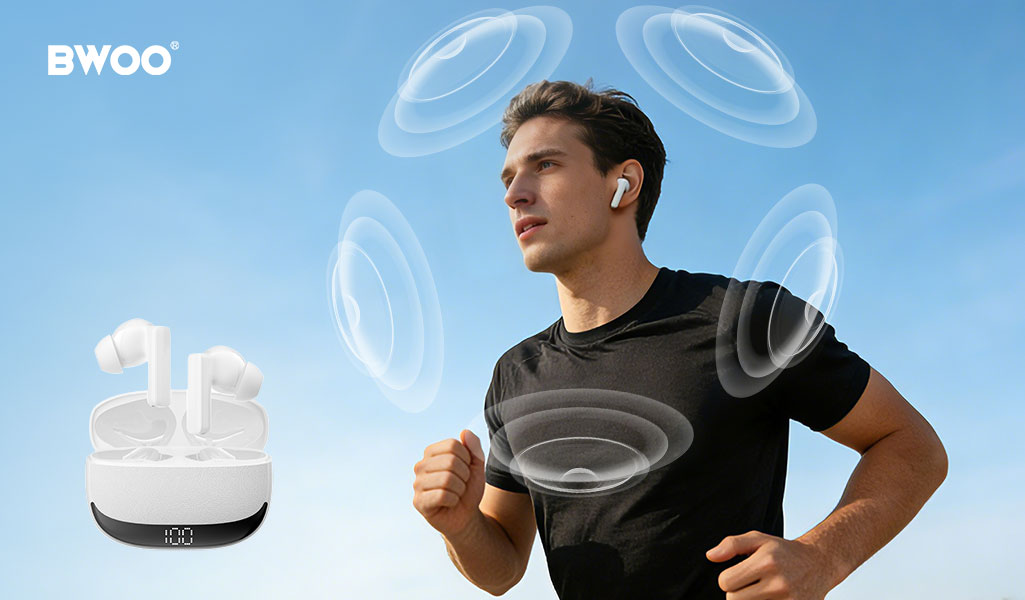
In the past, watching a movie meant going to a cinema, and enjoying high-quality music often required a CD player or professional audio equipment. Today, spatial-audio-enabled headphones are changing the way we hear sound. By delivering three-dimensional audio, spatial audio brings users a cinematic soundstage and a CD-level listening experience—right from their everyday devices. Every beat, note, and sound effect can feel like it is coming from all around you.
This article explains what spatial audio is, explores its benefits and real-world performance, and provides practical tips on choosing spatial-audio headphones. We will also answer common user questions, including whether BWOO devices support spatial audio, whether special headphones are required, and whether spatial audio works on non-AirPods products.
What Is Spatial Audio?
Spatial audio is an advanced audio technology designed to simulate a three-dimensional soundscape. Instead of delivering audio in traditional stereo (left and right channels), spatial audio uses directional sound processing, head-tracking, and multi-speaker simulation to make sound appear as if it is coming from all angles—front, behind, above, and around the listener.
Key elements of spatial audio include:
3D Audio Rendering
Software algorithms place sound sources within a virtual environment.
Dynamic Head Tracking (optional)
Sound positions shift naturally as you move your head, similar to real life.
Virtual Surround Sound
Creates the acoustic effect of a multi-speaker theater system using just two headphone drivers.
Many platforms now support spatial audio, including Apple Music, Dolby Atmos, Netflix, Disney+, and Android/Windows devices with compatible apps.
Benefits of Spatial Audio
1. A More Cinematic Experience
Spatial audio produces a wide and directional soundstage that closely mimics a high-end theater. Explosions, footsteps, and environmental sound effects become more realistic and immersive.
2. Enhanced Music Depth and Clarity
For music, spatial audio separates vocals and instruments more clearly. Users often feel as if they are standing “inside” the track, experiencing layers and details that traditional stereo cannot produce.
3. Better Gaming and VR Performance
3D positional audio helps gamers locate sound cues—such as footsteps or distant gunfire—more accurately. For VR, spatial audio is essential for believable and immersive environments.
4. More Natural Listening
Because spatial audio simulates how humans hear sound in real life, it reduces listening fatigue and feels more natural over long sessions.
What to Consider When Choosing the Best Spatial-Audio Headphones
1. Codec and Format Support
Check whether the headphones support spatial-audio formats such as Dolby Atmos, Sony 360 Reality Audio, or platform-specific versions like Apple Spatial Audio. Compatibility directly affects playback quality.
2. Device Ecosystem
Some features—especially dynamic head tracking—are tied to certain ecosystems.
Apple Spatial Audio works best with iPhone, iPad, Mac, and Apple TV.
Android devices may support spatial audio through Dolby Atmos or system-level 3D audio.
Choose headphones that match the devices you use daily.
3. Comfort and Fit
Spatial audio is meant for long listening sessions. Prioritize lightweight materials, ergonomic designs, and secure ear tips or ear hooks.
4. Driver Quality
High-resolution drivers produce clearer layers in spatial audio tracks. Better drivers = richer, more realistic 3D sound.
5. Battery Life and Latency
Spatial audio processing consumes more power. Ensure the headphones offer sufficient playback time and low latency for movies and gaming.
Frequently Asked Questions
Do BWOO headphones support spatial audio?
Many BWOO earbuds and headphones support enhanced stereo processing or virtual surround effects, depending on the model. Some models include advanced sound algorithms designed to create a wider soundstage. Buyers should check the specific product specifications to confirm spatial-audio support.
Do you need special headphones to experience spatial audio?
Not always.
Basic spatial audio playback (e.g., Dolby Atmos Music) can work on many modern headphones.
Advanced features—like dynamic head tracking—require compatible hardware (e.g., specific sensors and ecosystem support).
Using headphones designed for spatial audio will provide a more accurate and immersive experience.
Is spatial audio limited to AirPods?
No. Spatial audio is available on many brands and platforms.
Apple uses its own version of spatial audio for AirPods.
Android devices commonly use Dolby Atmos or system-level spatial audio.
Windows PCs and game consoles also offer spatial-audio support.
Many non-AirPods earbuds and headphones can deliver high-quality spatial audio when paired with compatible apps and content.
Conclusion
Spatial audio is transforming how we experience music, movies, and games. By simulating a realistic 3D sound environment, it brings home-theater-level immersion to everyday headphones. Whether you are watching a blockbuster, listening to a detailed music track, or playing an action-packed game, spatial audio offers a richer and more engaging audio experience.
When choosing spatial-audio headphones, focus on compatibility, comfort, driver quality, and supported audio formats. With the right device—and the right content—you can unlock an entirely new dimension of sound.
Related readings:


