



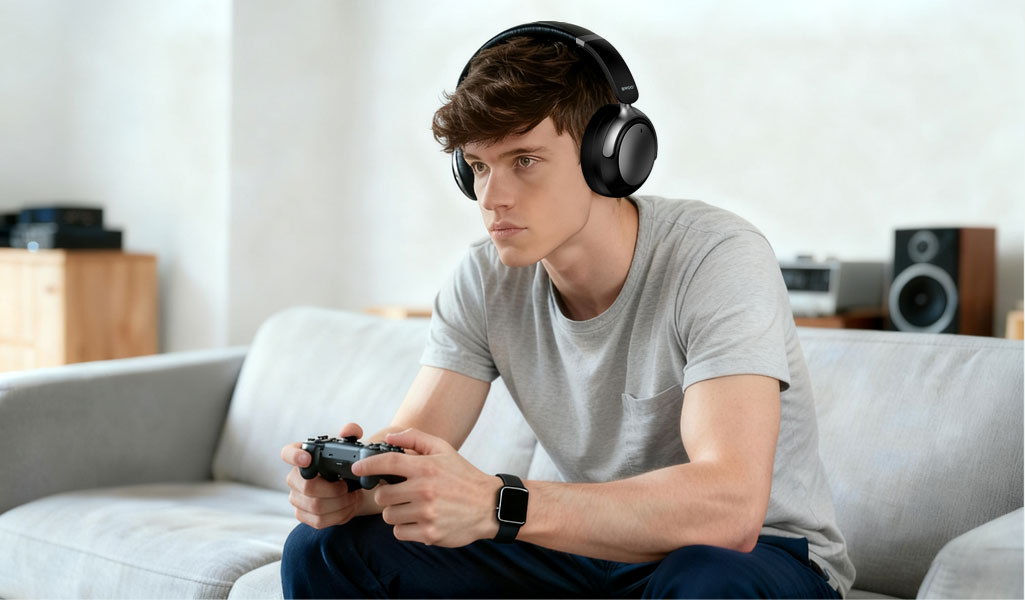
In the modern gaming era, wireless headphones have become nearly indispensable for serious players. A good headset not only amplifies immersion via high-quality audio but also frees you from the annoyance of tangled wires and limited mobility. When playing on the PlayStation 5 (PS5), the benefits multiply: you can move around more freely, you avoid cable clutter, and you immerse yourself in the game world with fewer distractions.
Moreover, when you're gaming late at night or sharing space with others, wireless headphones give you the flexibility to lean back, stretch out on the couch, or even grab a snack without being tethered. In short: wireless = freedom + immersion + convenience.
How to Connect Wireless Headphones to PS5 - Methods Explained
When it comes to pairing wireless headphones with the PS5, there are a few realistic methods depending on your headset and connection gear. Below are the main approaches:
1. Using a dedicated wireless USB dongle
Many gaming headsets come with a proprietary USB-dongle (2.4 GHz) that plugs into one of the PS5's USB ports. The console recognizes the dongle, and the headset pairs directly via that dongle - no standard BT pairing required. For example, the headset is turned on, the dongle is plugged in and the LED indicator shows pairing or connection. This method is straightforward and generally gives low latency. Sources confirm that "you can connect most wireless gaming headsets to your PlayStation 5 via a USB dongle."
2. Using a generic BT transmitter/adaptor
Because the PS5 does not support standard BT audio headsets natively, you may need to use a third-party BT audio transmitter.
Steps:
Plug the USB transmitter into a PS5 USB port.
Set the transmitter into pairing mode (often by holding a button until the LED flashes).
Turn on your headphones and set them to pairing mode. Wait for pairing.
On the PS5, go to Settings → Sound → Output Device, select the USB transmitter if required.
Note: Because this is a workaround, latency or microphone support can vary.
3. Wired fallback by 3.5mm cable
If wireless connection isn't ideal or your headset supports a wired option, you can always use the 3.5 mm audio jack on the PS5 DualSense controller. Many users take this route when wireless compatibility is tricky.
This method guarantees audio output and low latency, but loses the full wireless freedom.
So, when you're preparing your wireless headset for PS5 gaming, pick the method that best fits your gear and priorities.
Why Choose the BWOO BO-BW589 Wireless Headphones
Now let's highlight why the BWOO BO-BW589 Wireless Headphones stand out - especially for PS5 gamers.
Active Noise Cancellation (ANC) technology:
The BO-BW589 features advanced ANC to suppress ambient distractions (room noise, fans, other people) so you can focus on the game's audio environment - footsteps, distant explosions, whispered dialogue.
40 mm composite driver units:
These deliver Hi-Fi quality sound with rich bass, clear mids and crisp highs; ideal for immersive game soundtracks, in-game voice chat and cinematic sequences.
Long battery life:
The headset supports extended wireless play sessions - meaning you won't be constantly interrupting for a recharge mid-game.
Dual-mode connectivity (wireless + 3.5 mm audio cable):
Whether you want full wireless freedom or prefer a wired fallback (say your transmitter is occupied or battery low), you can plug the BO-BW589 into the 3.5 mm jack - making it versatile.
When you combine the BO-BW589's premium audio features with the PS5 connection flexibility outlined above, you get a truly console-ready wireless headset solution: immersive sound, freedom of motion, and console compatibility.
Connecting Wireless Headphones to PS5 Is Worth It (Especially with the BO-BW589)
While you may need a little extra gear (USB dongle/transmitter) or setup time to connect wireless headphones to PS5, it absolutely pays off. The freedom from cables, improved comfort for extended sessions, and the richer audio immersion make it worthwhile.
Especially when you use a headset like the BO-BW589, with its ANC, 40 mm drivers, long battery, and dual-mode connectivity - you're not just saving yourself from a wire; you're upgrading your entire gaming audio experience.
Related readings:


