





Why Is My Power Bank Charging So Slowly?

2026-02-05 15:00
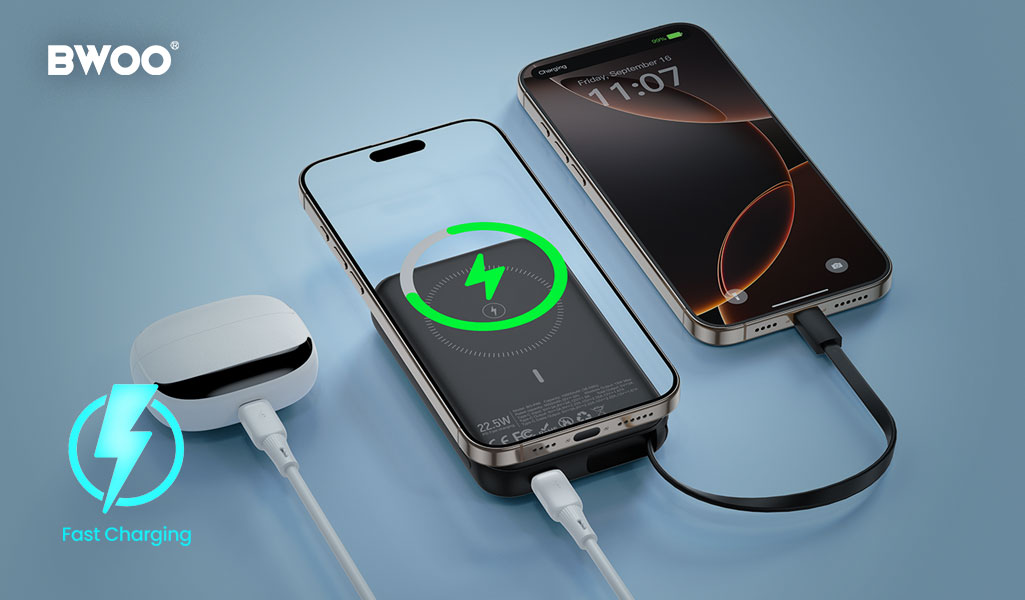
You plug your power bank in overnight—yet in the morning, the battery indicator is still blinking.
Or worse, your phone's percentage barely moves while charging from the power bank.
Is the power bank defective? Did you buy a fake one?
In most cases, slow charging is not a "terminal illness" of the power bank itself. It's usually a problem somewhere along the charging chain.
In this article, BWOO breaks down the five most common reasons why power banks charge slowly—and how to fix them.
Deep Diagnosis: The 5 Main Reasons Your Power Bank Charges Slowly
1. The "Faucet" Is Too Small: Charger Power Is Insufficient
How it happens
Many users still charge a 20,000mAh power bank using an old 5W charger (5V/1A).
The math tells the truth
5W charger → 20+ hours to fully recharge
20W PD charger → 4–5 hours
Solution
Check the charger's output rating. Make sure it supports PD (Power Delivery) or QC fast charging.
2. The "Pipe" Is Too Thin: Poor or Damaged Charging Cable
How it happens
Low-quality cables often use thin copper cores or suffer from internal damage, increasing resistance.
What you see
The cable looks fine—but much of the energy turns into heat instead of charging power.
Solution
Use a certified fast-charging cable.
BWOO fast charge cables with E-Marker chips ensure stable current delivery and minimal voltage drop.
3. The "Brain" Steps In: Thermal Protection Limits Current
How it happens
Lithium batteries activate protection when temperatures exceed ~45°C, automatically reducing input current.
Common scenarios
Charging while using the power bank (pass-through charging)
Charging inside a hot car or under direct sunlight
Solution
Stop using the device and let it cool down in a shaded, ventilated area.
4. The "Heart" Is Aging: Battery Cycle Life Is Reaching Its Limit
How it happens
Most lithium batteries are rated for 300–500 full charge cycles.
Symptoms
Noticeably slower charging after 2+ years
Reduced capacity and higher internal resistance
Manufacturer insight
BWOO power banks use Grade-A high-cycle cells, offering up to 20% longer lifespan compared to standard cells.
5. The "Connector" Is Dirty: Increased Contact Resistance
How it happens
Dust, lint, or debris inside the USB-C port causes poor contact.
Solution
Carefully clean the port using a wooden toothpick or compressed air. Avoid metal tools.
BWOO Lab Recommendations: How to Restore Charging Speed
At BWOO, charging performance is treated as a system, not a single component.
Smart IC Auto-Detection
BWOO power banks automatically identify connected devices and deliver optimal input/output power.
Multi-Layer Safety Protection
Built-in NTC temperature monitoring balances charging speed with long-term safety.
B2B Insight
For high-capacity power banks, BWOO recommends bundling high-power GaN chargers to ensure end users experience true fast charging.
Quick Checks: How to Judge Charging Speed at a Glance
Check the label
Look for input specs like "Input: 9V⎓2A" or "PD".
Check the indicator light
Many power banks use a different color (green or orange) to indicate fast charging.
Estimate the time
A simple rule of thumb:
Capacity ÷ Input Current ≈ Charging Time
Conclusion
Slow charging is usually a classic "wooden barrel effect"—the weakest link limits the entire system.
In most cases, replacing one good cable or one proper charger solves over 90% of slow charging problems.
Understanding the full charging chain is the key to getting your power bank back up to speed.


