








How to Safely Clean Dust from Your Charging Port?

2026-01-19 16:31
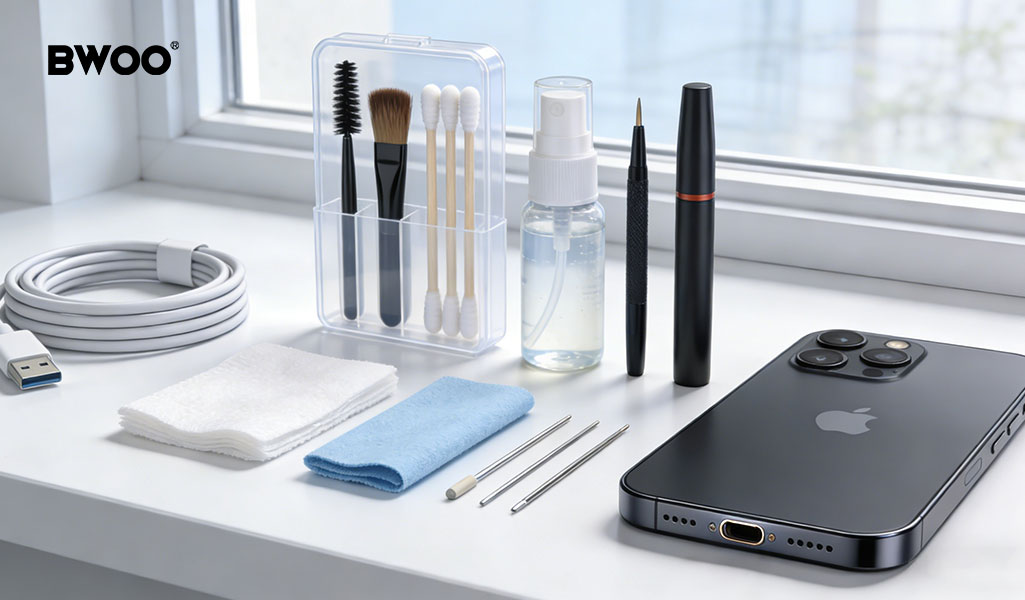
Have you ever taken a phone or charging cable out of a drawer after months of storage, only to find the cable feels loose and charging cuts off with the slightest movement?
Most people assume the cable or battery is failing. In reality, over 90% of unstable charging issues are caused by dust, lint, or debris compacted inside the charging port.
As a professional charging brand, BWOO sees this problem frequently. This guide explains how to clean charging ports safely and effectively—without damaging the delicate metal contacts inside.
Critical Warnings: What You Should Never Do
Before explaining the correct method, it's essential to clarify what not to do. These mistakes cause permanent damage.
1. Never use metal or sharp objects
Avoid pins, paper clips, sewing needles, or tweezers. Metal tools can scratch gold-plated contacts or short-circuit internal components, potentially damaging the mainboard.
2. Do not blow into the port with your mouth
Breath contains moisture. Blowing introduces water vapor into the port, which may lead to internal corrosion over time.
3. Avoid brushing aggressively with toothbrushes
Standard toothbrush bristles are too soft and can generate static electricity. Static discharge can harm sensitive electronic components inside the device.
A Safe Home Cleaning Toolkit
BWOO recommends preparing the following non-damaging tools:
Non-metal stick: A wooden toothpick or plastic cleaning stick
Air blower: Camera-style rubber air blower for dry, contact-free airflow
High-purity isopropyl alcohol (optional): 99% concentration for oil residue
Strong light source: Flashlight or smartphone LED to inspect inside the port
The Three-Step Charging Port Cleaning Method
Step 1: Inspect with strong light
Shine a flashlight directly into the port. Look for compacted lint, dust balls, or debris pressed against the inner walls or contacts.
Step 2: Gently extract debris with a non-metal tool
Key technique: Always scrape sideways, never downward.
USB-C ports:
Focus on the narrow gaps between the center contact board and the outer shell. Use light, controlled movements to hook lint out gently.
Lightning ports:
Clean along the inner sidewalls, paying special attention to the bottom corners where lint accumulates.
Step 3: Use airflow to remove residue
After loosening debris, use the air blower multiple times to remove remaining dust completely. This prevents particles from re-compacting.
Advanced Care: When Dust Is Combined with Oxidation
Sometimes debris is mixed with oxidized residue, appearing as dark or sticky buildup.
Professional approach recommended by BWOO:
Use a dedicated electronics contact cleaner designed for precision components.
Why it works:
These cleaners dissolve oxidation and evaporate quickly without leaving moisture or residue.
Important reminder:
Keeping charging ports dry is one of the most effective ways to extend device lifespan.
Prevention Tips: Keep Your Charging Port Clean Long-Term
Regular maintenance:
Use an air blower once a month to prevent lint from compacting
Avoid dusty environments:
Store devices in clean compartments when exposed to sand or wood dust
Use port covers:
Type-C silicone dust plugs are effective for harsh environments
Conclusion
A clean charging port ensures stable power delivery and protects your device's mainboard from electrical instability. Proper cleaning is not just about convenience—it's about long-term device safety.
By following correct methods and avoiding risky shortcuts, users can maintain reliable charging performance without unnecessary repairs. This preventive care aligns with BWOO's philosophy of protecting devices at the source.


Comment
Leave a Reply
Your email address will not be published. Required. Required fields are marked*


Comment
There are no comments yet!