



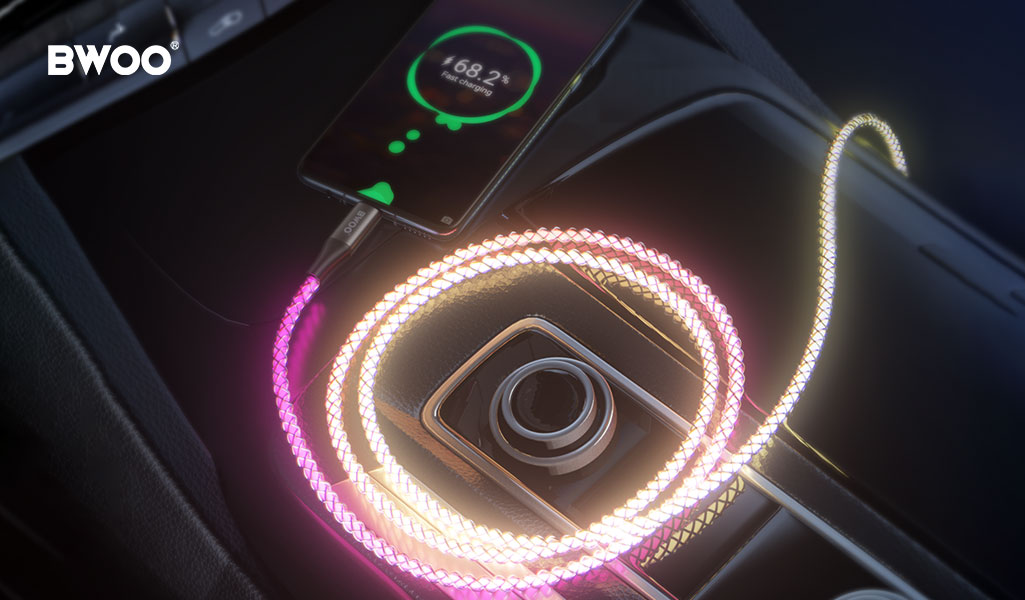
Charging cables are becoming increasingly eye-catching. Flowing light effects, colorful illumination, and built-in LED indicators are now common features.
This naturally raises a few questions for users:
Do these lights "steal" power that should be charging the phone? Will using a light-up cable slow down charging?
BWOO offers several LED charging cables, and these concerns come up frequently. This article explains how light-up cables actually work, whether they affect charging speed, and what really matters when choosing one.
Does the Lighting Actually Slow Down Charging?
The Truth About Power Distribution
In simple terms, the total power supplied by a charger can be expressed as:
Ptotal = Pphone + PLED
The lighting components in charging cables—typically LEDs or EL (electroluminescent) elements—consume very little power, usually around 0.05W to 0.1W.
Modern fast charging operates at 20W, 65W, or even 100W. From a physical standpoint, a fraction of a watt consumed by lighting has a negligible impact on charging speed.
The Real "Invisible Killer": Internal Resistance
When charging feels slow, the issue is usually not the lighting itself.
Many low-quality light-up cables reduce the diameter of the internal copper conductors to make room for lighting components. This leads to higher electrical resistance.
According to V = I × R:
Thinner copper cores → higher resistance → larger voltage drop → less power reaching the phone
This is the real reason some light-up cables charge more slowly—not the light, but the compromised conductor quality.
Do Light-Up Cables Waste Electricity?
The power consumption of lighting components is extremely low.
Even if a cable consumes 0.1W continuously for an entire year:
0.1W × 8760 hours ≈ 0.876 kWh
That is less than one unit of electricity per year—often costing less than a dollar. Compared to the convenience of locating your phone at night or the visual appeal, this energy use is practically insignificant.
Why Do Some Light-Up Cables Cause Problems?
This is where design quality matters.
Charging Protocol Interference
Poorly designed control circuits may generate high-frequency electromagnetic interference. This can prevent proper "handshake" between the charger and the phone for fast-charging protocols such as PD or QC.
Heat Buildup at the Connector
Low-quality driver chips can generate excessive heat. Over time, this may cause abnormal temperature rise at the connector, affecting both charging stability and device safety.
How BWOO Addresses These Risks
BWOO uses independent driver ICs that fully isolate the lighting circuit from power and data transmission paths. All designs undergo strict electromagnetic compatibility (EMC) testing to ensure fast charging remains stable and unaffected by visual effects.
How to Choose a Good Light-Up Charging Cable
Check the Connector Temperature
After charging for about 20 minutes, touch the connector area.
If it feels uncomfortably hot, efficiency is likely poor—avoid continued use.
Observe the Lighting Behavior
High-quality light-up cables produce smooth, consistent lighting effects.
Flickering or uneven brightness often indicates unstable current control.
Verify Current Ratings
Look for cables rated for 3A or 5A current. Cables designed for higher current typically use thicker copper conductors and better internal materials.
Recommand: BWOO Transparent USB-C Cable with RGB Light (Model: BO-X278)
Conclusion
Light-up charging cables do not slow down charging simply because they glow.
When charging speed is affected, the real cause is usually poor internal conductor design—not the lighting itself. With proper engineering, it is entirely possible to enjoy visual effects without sacrificing performance.
As a brand with decades of experience in charging accessories, BWOO designs LED cables that balance aesthetics and electrical integrity—delivering fast, stable charging alongside visual appeal.


